Want to join in? Respond to our weekly writing prompts, open to everyone.
Ce que l’on néglige
from  Kevin Turby
La chaleur du soleil. Les premiers rayons du matin. Ce corps qui m’aide à embrasser ce monde. Les sourires. Les mains tendues. La confiance que l’on m’accorde. Les espoirs que je porte. La beauté des mots. Le son du silence. Mon Tobi, qui me rappelle à chaque instant que le moment présent est le seul qui nous appartient. Ma famille. Ma grand-mère, qui est toujours là, à sa manière. Ma grand-mère, avec qui j’aurais aimé partager davantage.
Partidas en octubre de 2026
from  Lanza el dodo
En octubre sí he jugado a algo. Definitivamente hacer cosas es mejor que dejar las tardes a la apatía, el doomscrolling y la desesperanza.
Comienzo por las cosas en digital, que son reimplementaciones comprimidas de juegos que me gustan bastante, y quizá incumplan la máxima de que menos es más, sobre todo porque se basan en juegos ya compactos:
Bordeaux es la versión hoja de papel de Fromage. A quién no le va a gustar el vino o el queso. Pues a mucha gente que tendrá sus razones, claro, tampoco vamos a cuestionar. Aquí cada persona tiene una hoja y va tachando con su lápiz, según considere y pueda, una serie de vinos con la misma mecánica que Fromage: Tienes tres trabajadores, uno hace un vino y el otro consigue recursos. Qué región y recurso puedes conseguir aquí lo decide en cada ronda un jugador distinto, y ya decides tú qué trabajador enviar a qué, y qué vino concreto haces. A mejor sea el vino o más recursos consigas, más rondas estarás sin él. Porque los trabajadores son los que generan el valor, no tú. Que lo sepas. Y, bueno, es cierto que es la misma mecánica, pero en el juego original el aspecto visual y táctil de la rueda de quesos era más interesante, además de la competencia por los mejores sitios en los minipuzzles.
The White Castle Duel es la versión para dos personas de… ¡*The White Castle*!, un juego que ya funcionaba bien a dos personas. Pero el capitalismo y el marketing toman decisiones cuestionables. Han pegado la misma iconografía a un juego que en realidad es distinto y que queda un poco opacado por el otro (que es mejor). Y es mejor precisamente en lo que se le achaca como negativo: Tienes 9 turnos para hacer muchas cosas y la gente quiere un mayor desarrollo para que la bola de nieve se haga gigante. Pues no, presta atención a esos 9 turnos porque siempre puedes hacer más. En esta versión para dos personas, es cierto que también quieres estirar más el turno, pero es más táctico y no siempre tienes la libertad de cambiar las acciones disponibles para que tu estrategia se lleve a término. Que sea a dos personas lo asemeja quizá demasiado a una pelea de pulpos.
Y ya en físico, hay muchos estrenos de cosas que uno compra al venirse arriba. Como en la cuesta de la portada de Pasteles. En este juego en solitario debes doblar una tela para formar patrones que cubrir con poliminós, lo que te permite cumplir con pedidos de clientes, que te dan dinero y nuevos ingredientes para el siguiente día. Yo soy un paquete como repostero, y lo de buscar esos patrones en las telas en 30 segundos marcados por un reloj de cocina se me antoja imposible, pero el resto del juego me parece bastante guay, al estilo de Conservas (comparten autor, editorial y la mecánica de gestión y escenarios).
Echoes of time es un juego de cartas, donde juegas criaturas en una banda temporal que va moviéndose cada ronda. Cuando la criatura llega al instante 0 de tiempo pasa a formar parte de tu compañía y estará disponible para realizar sus efectos y conquistar ciertas cartas o localizaciones, que también dan puntos y efectos. Es un juego de ir buscando los combos y sinergias entre cartas que tiene la ventaja sobre otros de que, aunque no tengas mucha decisión sobre qué cartas llegan a tu mano, siempre puedes hacer algo y el final de partida es rápido.
Queen Alice es un juego estratégico en un cajote enorme sobre Alicia a través del espejo. Y qué tienes que hacer, dirás, pues ganar puntos, claro. Aquí jugarás cartas de piezas de ajedrez, que moverás en un tablero para seleccionar la acción. Esta acción te hará subir en un track con el color de la ficha que habías movido y te dará cosas (cartas, poderes especiales, puntos…). En función de los jugadores, serán más valiosos unos criterios de puntuación u otros. Y si el cerebro no se te ha licuado de pensar las implicaciones de tus decisiones, pues coronas la Alicia Roja o la Alicia Blanca y listo. Parece que la tendencia en los juegos estratégicos (liderada por autores y editoriales españoles) es mezclar varios tracks con un mecanismo de selección de acciones algo original, pegarle un tema llamativo y hacerlo bonito a rabiar (que no tanto funcional por lo que abruma). Entiendo y comparto la crítica y, aún así, al día siguiente seguía pensando en el juego y en probar otras estrategias para hacer que el sombrerero loco suba más, o conseguir otras flores, así que no es solo artificio y hay juego detrás. Y esa pobre gente de Sevilla o Albacete tendrá que comer.
Y, por último, Eternal Decks, o el juego en el que hay unos seres que buscan la destrucción del planeta y hay que aplacarlos entregándoles una joya. Realismo puro. En realidad es un juego de comunicación limitada donde solo tenemos unas cuantas cartas con un número y color, con restricciones de colocación, y hay que consiguir ciertos retos, que conllevan peligros y dificultades. Es parecido a La Tripulación, aunque tiene, digamos, más picos de tensión donde todo va a salir mal, pero consigues algo que te da un cierto respiro, pero entonces es otra persona quien está en apuros. Además, tiene varios escenarios y dificultad, con lo que no se siente tan repetitivo. Y muy chulo visualmente.

Tags: #boardgames #juegosdemesa
from Grasshopper
Ποιός ο λόγος ένας πρωθυπουργός παρακολουθεί τους υπουργούς του παρά για να εξασφαλίσει ότι λαμβάνει το μερίδιο του στις δουλειές που ο υπουργός αυτονομήθηκε απο την επιλογή του ηγεμόνα.
Απηυδήσε επειδή τον έκλεβαν!
Λες;
The MAG weekly Fashion and Lifestyle Blog for the modern African girl by Lydia, every Friday at 1700 hrs. Nr 234 13th November, 2026
from  M.A.G. blog, signed by Lydia
Lydia's Weekly Lifestyle blog is for today's African girl, so no subject is taboo. My purpose is to share things that may interest today's African girl.
This week's contributors: Lydia, Pépé Pépinière, Titi. This week's subjects: Monday Morning, But Make It Fashion, Woodin for sale? The Pleasure way to avoid Incontinence, and Sub Box
Monday Morning, But Make It Fashion: Accra Edition. Monday morning is not for the weak; it's basically a personal attack. Your alarm is screaming, your bed is holding you hostage, you are calculating traffic and somehow you still have to look like a woman who has her entire life perfectly organized. Suddenly you’re standing in front of your wardrobe saying, “I literally have nothing to wear!” Meanwhile, the Accra sun is already preparing its own meeting agenda.
Relax, Accra corporate girl. This is not the day for a fashion experiment.
The secret is to dress smart for the heat without sacrificing the corporate-girl aesthetic.
 Choose breathable fabrics like cotton, linen blends, and lightweight materials that won’t have you regretting your fashion choices before 10 AM. Skip anything too heavy or clingy, especially when you know you’ll be navigating Accra traffic.
Instead of thick layers, try a lightweight blazer you can easily remove once the heat becomes disrespectful. Go for sleeveless or short-sleeved tops under your blazer, and choose relaxed tailored trousers or midi dresses that give you room to breathe.
 Also, Accra corporate girls know the struggle: you can be melting outside and freezing inside the office. So keep one light layer handy for that aggressively air-conditioned office.
And shoes? Comfort is not negotiable.
You may look fabulous leaving home, but after walking through parking lots and surviving the morning commute, your feet deserve peace too. Choose comfortable loafers, low heels, or chic block heels that can survive a full working day.
 The goal is simple: look polished, stay comfortable, and avoid looking like you’ve been personally fighting the sun.
Because whether you're stuck in traffic, rushing into a Monday meeting, or grabbing your first coffee, your outfit should still say:
“Yes, Accra is hot. Yes, traffic was terrible. And yes, I still look fashionably undefeated.”
Happy Monday, now go to that office and give “CEO energy on 3 hours of sleep.” Accra corporate girl! Stay stylish, stay hydrated, and may your outfit survive the heat, the traffic, and the office AC.
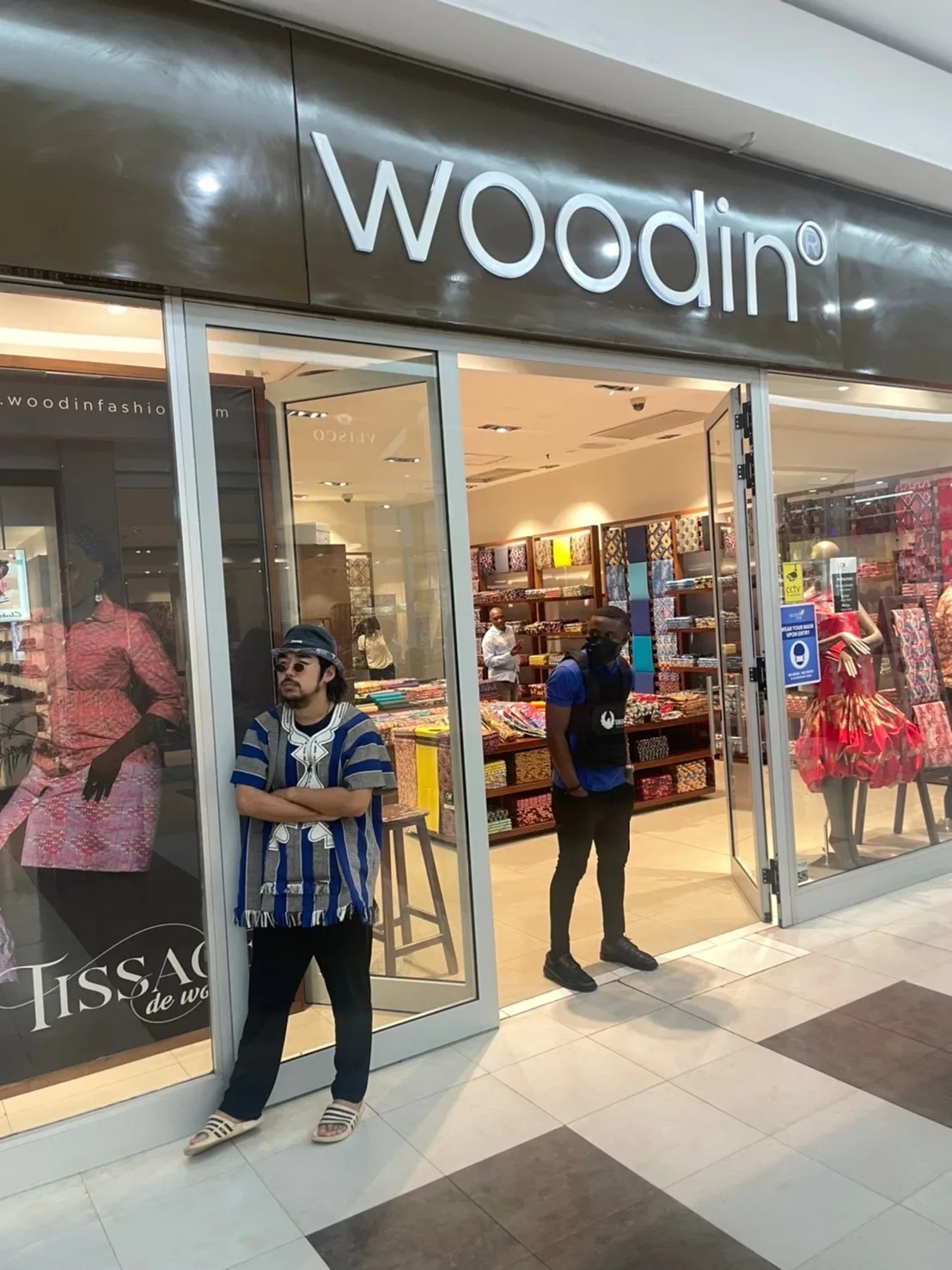
Woodin for sale? Maybe the only Ghanaian fashion brand well known across our borders, at least in Ivory Coast, Togo and Benin, is Woodin, our Woodin. Produced in Tema and owned by Dutch company Vlisco, makers of the real Dutch wax print, and who also own GTP Ghana Textile Printing. Suffering from cheap Chinese copies and imported second hand clothing they have been seriously struggling off late, and recently an investor walked in and bought lock stock and barrel, for an undisclosed sum. Rumour has it that the sum was one US dollar. Then you buy all, including the debts which I hear is millions of dollars. There’s talk of a revival of Ghana‘s cotton industry to support the textile industries. But talk is cheaper than Woodin.
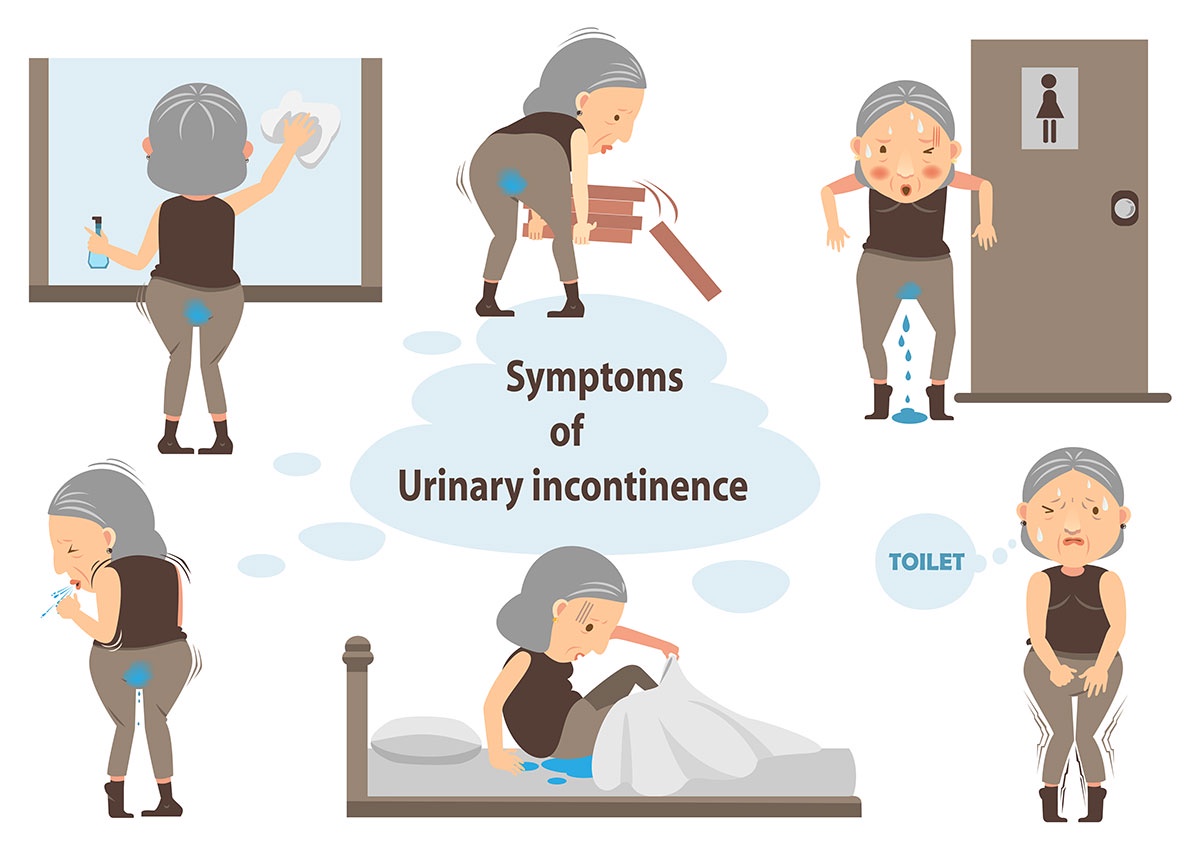
The Pleasure way to avoid Incontinence. When you are in town and feel the need to urinate but there is nowhere to go you use a muscle to hold it back. It is called the pelvic muscle. This muscle weakens as you get older, resulting in incontinence, the unwanted loss of urine. This unwanted release can also happen during lots of laughter, or real fear. And for that to happen you need not be old. And if it is anal release, not urine, it I still called incontinence. Unpleasant news, we all hope to get older and now know what we can look forward to. Nope, that muscle can be trained and strengthened. For example squeeze 5 times, or slowly squeeze over 5 seconds, hold 5 seconds, release over 5 seconds. These are called Kegel exercises, you can look it up. If you follow a Kegel exercise program you get results after 6 weeks. Results? Yes, your pelvic muscles will strengthen and you will have less problems holding your urine back. And there are pelvic exercise machines, like vaginal cones/ weights you insert and try to hold in by contracting your pelvic floor. Comes in a set of increasing weights. Ask about them in the gym if you a want to start an interesting discussion. Or biofeedback devices for the techies amongst us.
These are sensors (vaginal or external) connected to an app that shows you on your phone if you are squeezing the right muscle. Doctors may prescribe electric pulse devices for people with very weak pelvic floors, giving a small electrical pulse to help the muscle contract. And the pleasure part I mentioned in the title? Now that your pelvic muscle is strengthened you have more control over you vagina, and can unexpectedly squeeze hubby when he is in you. He will be so surprised that he will end up with a premature ejaculation (there's very sophisticated words for banal things). There’s exercises against that as well. Some guys train not to ejaculate so they can keep going. Same muscles…..World health Organization (WHO) is talking about 150 minutes exercises a week. Do they know what they are talking about?
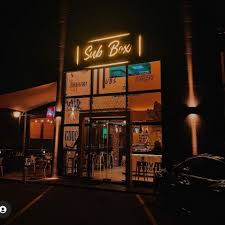
Sub Box. Ndabaningi Sithole Road, Labone. Who was that? He was one of the fore fathers to get Rhodesia out of the hands of the British to become Zimbabwe. A sort of East African Nkrumah. Pity, we are free but most of us don't know much about how we got there. I often visit Sub Box after I have visited the Saturday organic market at Labone Coffee Shop. Their cappuccino at 60 GHC is nice, espresso goes for 40 GHC and fresh orange juice at 60 GHC. For pineapple juice they now do their own brand, in a plastic bottle at 45 GHC, but I prefer glass. The cheese beefburger goes for 195 GHC which is a bit stiff so I didn't try it. Cupcakes cost 45 GHC.
Lydia...
Do not forget to hit the subscribe button and confirm in your email inbox to get notified about our posts.
I have received requests about leaving comments/replies. For security and privacy reasons my blog is not associated with major media giants like Facebook or Twitter. I am talking with the host about a solution. for the time being, you can mail me at wunimi@proton.me
I accept invitations and payments to write about certain products or events, things, and people, but I may refuse to accept and if my comments are negative then that's what I will publish, despite your payment. This is not a political newsletter. I do not discriminate on any basis whatsoever.
from  Roscoe's Quick Notes
Friday Night College Basketball.
Tonight's game of choice in the Roscoe-verse has the (2-1) Illinois Fighting Illini men's basketball team (ranked #3 nationally) hosting the (2-1) Sam Houston St. Bearkats. With its scheduled start time of 6:00 PM CT, and this being Friday, there's a very good chance I'll be able to hear the whole game before sleep sends me to bed.
And the adventure continues.
Does It Have To Be Proprietary?
from  Nothing Is Unstable
The bottom is falling out of the world as we realize how big tech companies have over the last decades repackaged and cheapened everything that makes us humans and sold it back to us. As we try to recover these emotions and modes of interactions, let's recognize that they are still there. And that the practice of using a proprietary slick presentation to take away simple, but rugged modes of life has started way early.
Ask yourself this: Why do we need Word documents, and why do we need PDF files? We do we need vendors to sell us platforms that store mostly text and image files? Most of what we share can be simple text, maybe with some markdown decoration, or simple image files that can be shared freely and in almost any way you like. Yet almost nobody even realizing that anymore showcases how firmly our routines have been co-opted and channeled into the pockets of Microsoft or Adobe.
Next time you are about to start a Word document (or Google Doc, or LibreOffice document), ask yourself first: Could this just be plain text? And then (learn to) open and edit a text or markdown file instead.
My Fedora Silverblue Setup — Ft. Dell XPS 13 (DX13260)
from  Schykle's Blog
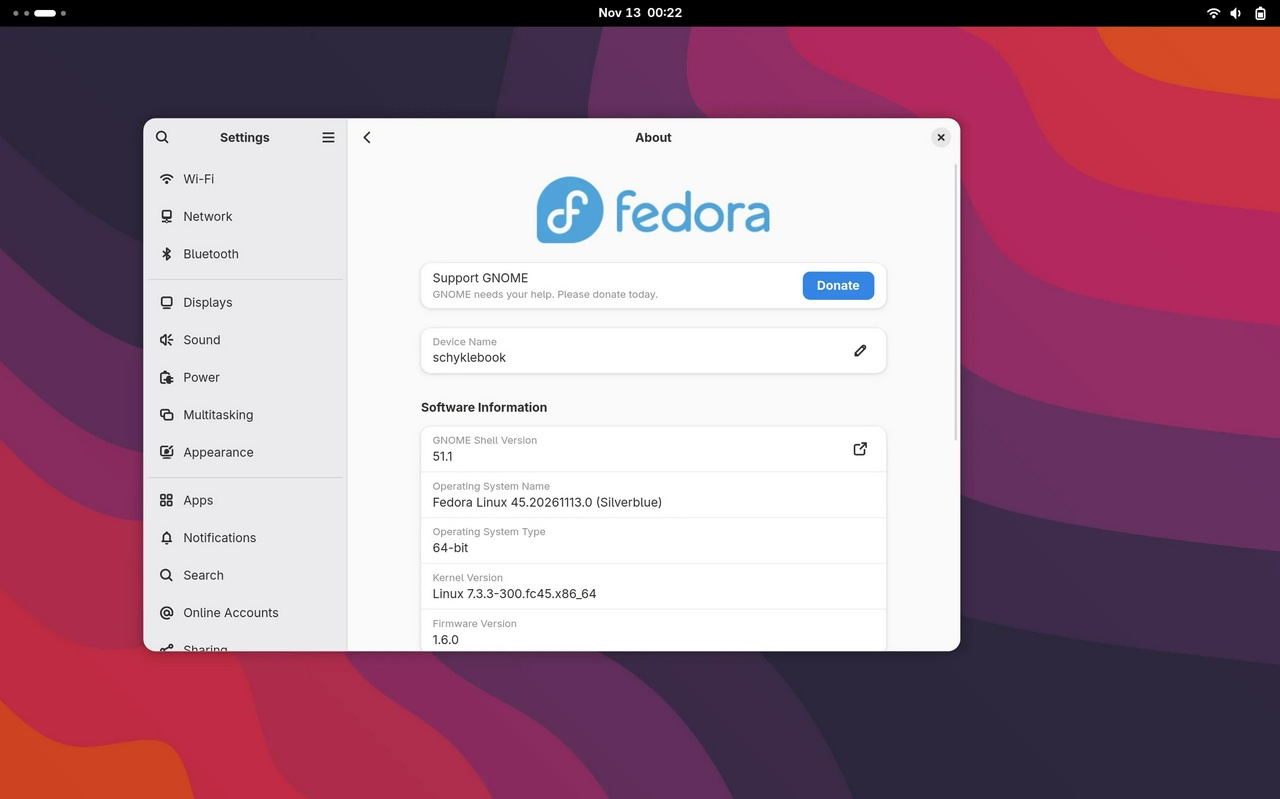
Easier and harder than you'd expect!
A number of years back, I had written a guide of sorts for a clean Fedora Silverblue install on the then-current generation Dell XPS 13. I covered the basic installation steps I took, packages I stripped and/or layered, Flatpak repositories, and some fixes for driver issues. Now, I’m doing the same for the current generation XPS 13, and it seems not much has changed! Installation is easier than it’s ever been and honestly not the important part. That being said, let’s dig in…
Installation
Prerequisites
There’s a few important steps we want to do before popping in that USB stick and proceeding with the installation. The first, clearing the internal SSD and configuring the appropriate Secure Boot settings. By default, the XPS 13 ships Windows 11 and only accepts Windows’ Secure Boot keys. I use the secure erase function via the system UEFI menu. This ensures that there’s no data on the internal SSD, though this isn’t strictly necessary, it makes it easy not to worry about potential errors when the installer tries to read partitions on the drive. As for the Secure Boot settings, enable “custom settings” and enable “Microsoft UEFI CA”. This will allow the system to recognize the keys that Fedora will provide/use. I spent a looong time troubleshooting this, and some distributions will just not work at all, but Fedora seems to have things dialed in properly! The actual Installation
Plug that USB drive into the system and power it on. It should boot into the right device as there’s no longer an operating system on the internal SSD. Alternatively, you can always smack the F12 button to get to the boot device menu! Select “Install Fedora 45” at the top, and hit Enter. After a few moments, the system should eventually boot into the new web-based installer. It’s nice, clean, and fairly self-explanatory. Most of it is just a matter of hitting next/continue until it’s done. The only settings I really advice paying attention to are the disk encryption option (ENCRYPT YOUR INSTALL, THERE IS ZERO REASON YOU SHOULD BE SKIPPING THIS!) and setting the system hostname, which by default just tries to guess based on what your network assigns to it. Continue until the last step, wait until the system finishes installation, and hit that beautiful blue “Reboot” button!
The actually interesting and opinionated part!
Creating an account and installing updates
The first thing you should be greeted with is a popup window that allows you to choose some basic system settings including creating a user account and setting a password. This is all fairly straightforward and I can’t really tell you what your username should be, but I’m partial to ‘schykle’ for pretty obvious reasons!
From there, you’ll be tossed into your actual GNOME session! Skip the tour because you’re clearly too cool for that, and open up GNOME Software. Ignore the popup to install additional third-party repositories and head straight for that Updates tab.
By now, the system should already be processing an update in the background. In this instance, you really do just have to wait a bit. You should eventually see two categories for updates. One is going to be a Secure Boot database update, and the other is going to be updates for your operating system and its components. Do both! Then use the restart and install/restart and update option to reboot your system.
Yoinking out Fedora Flatpaks and Firefox
There’s a lot of heavy opinions about Fedora including and defaulting to their own Flatpak builds with Silverblue. We can skip the details there because my opinions have already been documented! Pop open a terminal and let’s clean it up. Here’s what I typically do to resolve this and remove the existing filtered Flathub repo:
rpm-ostree override remove firefox firefox-langpacks fedora-flathub-remote && flatpak uninstall org.fedoraproject.MediaWriter org.gnome.Calculator org.gnome.Calendar org.gnome.Characters org.gnome.Connections org.gnome.Contacts org.gnome.Decibels org.gnome.Extensions org.gnome.Logs org.gnome.Loupe org.gnome.Maps org.gnome.Papers org.gnome.Snapshot org.gnome.TextEditor org.gnome.Weather org.gnome.baobab org.gnome.clocks org.gnome.font-viewer && flatpak remote-delete flathub
From there, restart your system!
In the past, I used to just remove the Fedora Flatpak repository entirely, but there are some provided libraries and resources that are worth keeping it for, even if we’re going to install all of our actual apps using Flathub.
Other extraneous packages I remove...
If you’d like, there’s a few other things I remove as someone who does not use GNOME extensions or the classic session. I also remove the Fedora Bookmarks package, among a couple of other things. Similar to the initial section of the previous command block, these would be removed with rpm-ostree override remove.
Packages I remove:
fedora-bookmarks fedora-chromium-config fedora-chromium-config-gnome gnome-shell-extension-apps-menu gnome-classic-session gnome-shell-extension-window-list gnome-shell-extension-common gnome-shell-extension-places-menu gnome-shell-extension-launch-new-instance gnome-shell-extension-background-logo gnome-system-monitor gnome-tour yelp
My reasoning for removing the GNOME System Monitor and Yelp are that I prefer the Resources Flatpak instead of GNOME System Monitor, and I never really use the Yelp/Help application.
Re-adding the real Flathub
Pop open a terminal and run this command to re-add the Flathub repository:
flatpak remote-add flathub https://flathub.org/repo/flathub.flatpakrepo
From there, Flathub should now be available in GNOME Software, and when you search for apps to install, whether it be Firefox, Calculator, etc., you’ll have the option between the Fedora Linux Flatpak repository or the Flathub repository. It is almost always beneficial to just use the Flathub repository.
Should you decide you actually don’t care for the Fedora repo at all and want to remove it so Software always uses Flathub, run this command:
flatpak remote-delete fedora
This will remove the Fedora Flatpak repository and any of the packages installed from it.
Uh-oh! My system keeps hanging!
Driver issues with Intel Xe graphics? I’ve got you.
One of the fixes I’ve had to apply to my system is disabling a couple of power saving features for the display. Namely, self refresh and panel powersaving state. To do this, you need to enable a couple of boot arguments using our old friend, rpm-ostree! Pop open a terminal and enter the following:
rpm-ostree kargs --append="xe.enable_dc=0" --append="xe.enable_psr=0"
From there, reboot your system and enjoy stability!
Some tweaks I recommend!
Shutdown on lid close
One of my favorite tweaks is setting my laptop to shut down when I close the lid. I do this for two main reasons. The first is just the peace of mind that when I close my laptop, it’s in a state where it’s most secure: powered off and encrypted. The second is that I’m far less likely to have closed it and forgotten it in sleep mode for extended periods of time. There’s very few instances where what I’m doing can’t be easily picked back up by opening closed tabs, or just whatever apps I typically use anyway. Here’s how to do it!
Edit or create the file /etc/systemd/logind.conf using nano (because it’s the best), and ensure the following contents are present:
[Login]
HandleLidSwitch=poweroff
HandleLidSwitchDocked=ignore
HandleLidSwitchExternalPower=poweroff
LidSwitchIgnoreInhibited=no
Save the file and restart. These settings mean that if the lid is closed when on battery or plugged in, it will shut down. However, when docked, it will not, in case you’re plugged into external displays and accessories where you’d likely not want it to be open while using it! It also includes a line that tells it not to ignore processes that typically stop shutdown (like background updates).
You might be wondering… “But, what if I ever want to put it to sleep?” Fear not… You can still put the laptop to sleep by typing “Sleep” or “Suspend” into GNOME search, or by pressing the power button (just make sure you set that to trigger suspend in GNOME Settings!). You can safely close the lid when the device is asleep and it will remain in sleep state and resume when opened. Poweroff will only be triggered if the device is awake.
Recommended apps
I have some recommendations on apps that you should probably have and are available from Flathub! 1) Resources — A modern system monitor 2) Pika Backup — A backup application using Borg on the backend 3) Apostrophe — A simple yet powerful markdown editor 4) GNOME Weather — Integrates into the notifications center for forecasts 5) GNOME Clocks — If you’re someone who manages things across time zones, setting world clocks lets you see them in the notifications center at any given time
Aside from these, some of the best apps for Linux and GNOME in particular are on the Apps for GNOME website!
The conclusion you’ve all been waiting for!
Look, I’m not going to tell you that there’s only one way to set things up, I’m just going to tell you the best way. (Just kidding… unless…) These are just the steps I’ve taken to have a really clean and suitable install for my needs. Getting Secure Boot working properly was actually the biggest hurdle for me. This laptop does not seem to play nicely with third-party certificates, and thankfully Fedora seems to have been blessed because it works the way it should! Getting just about everything installed as a Flatpak is honestly the way to go. Rely on Toolbox, the built in container system, for software that you need to run that isn’t installed on the core operating system, and limit the number of packages you layer on the core operating system as much as possible. For all things good and true, do not layer Steam, use the dang Flatpak!
Enjoy!
The Company We Keep
from brendan halpin
I’m pleased to see the UK holding some of its sexual predator celebrities accountable. They’re definitely ahead of the US, where we only hold sexual predator celebrities accountable if they’re Black. (Or more accurately, only the Black ones face legal proceedings. Okay, Harvey Weinstein. Name another.)
But Russell Brand’s imprisonment and David Walliams’ exposure (definitely the most exposure he’s ever had here in the USA, where if they ain’t on Taskmaster, Derry Girls, or Great British Bakeoff, we don’t know ‘em) has me thinking about all the people who enabled them.
Brand has faced legal consequences and Walliams has faced career consequences, but what about all the many, many people who knew and never did anything about it. Now I’ve seen the Katherine Ryan video, and I understand that you can’t just go denouncing people with a ton of money lest they sue you for defamation. BUT. You don’t have to work with them. You don’t have to hire them. And you don’t have to hang out with them.
Which brings me to Matt Lucas, David Walliams’ longtime comedy partner and Great British Bakeoff co-host and Taskmaster Contestant. (See, this is why I know who he is!). I’ve seen the comedy awards video too, where a guy who’s never been on Taskmaster makes a joke about “these awards are 15 years old and drunk! They’re going home with David Walliams!” Ha! Oh, is there a richer comedy vein to mine than the sexual abuse of children?
Anyway, Matt Lucas is right next to David Walliams in that clip. He knew. Why did he continue to work with him? Has anyone asked? Do we still want to watch him on Bakeoff (disclaimer: I do not enjoy that show, but it’s on in my house a lot) being the kind, cuddly host knowing he looked the other way while his friend was being a sexual predator?
Kenneth Branagh put Russell Brand in a movie in 2022. Granted nobody saw it, possibly because it also featured alleged cannibal and sexual predator Armie Hammer, but everybody knew what Russell Brand was about by 2022. And Kenneth Branagh chose to employ him. Now, you can look at someone down the cast list—say James Schofield, who played “German Soldier #1” and go, “well, that guy really can’t control who he’s in a movie with,” but Kenneth Branagh sure as shit can. Ridley Scott produced that movie. Do you think he doesn’t have the juice to blackball a rapist? Of course he does. He just didn’t care.
We need to start asking people who associate with predators the hard questions about what they knew and when they knew it. And, furthermore, we need to stop giving them a pass for looking the other way at bad behavior. I was doing some research about celebrity bad behavior and came across this disturbing account of a child actor being at the home of Justin Long and Jonathan Togo and being assaulted by Jonah Hill. (And said child star also says her friend was raped by Togo). Now, Justin Long hasn’t been accused of anything except for giving alcohol to underage girls. Which, BTW, is a crime, but more importantly, he knew what was going on. He knew the kind of danger those girls were in. The child actor also says that some other celebrities at the party took her aside and warned her to be careful, and I’m sorry, but that’s not nearly good enough. If you are a grown adult and see a drunk 16-year-old at your party, you put them in a cab. You tell them they need to leave, and if they refuse, go to the host and tell him to make them leave. And start taking pictures and videos. “Oh, but then you might not get to hang out with Justin Long anymore!” Wow, yeah, that’s a terrible consequence. I can see why you wouldn’t want to risk that.
For the record, Long says he didn’t know about all the creepy sex stuff, which strains credulity, but he did know he had drunk underage girls at his party, and he had a responsibility as a human being to take care of people more vulnerable than him.
And so, for that matter, do we all. I could go on listing celebrities who have enabled other bad celebrities (Okay, okay, one more: Judd Apatow worked with James Franco, Jonah Hill, AND Russell Brand. He’s either dangerously oblivious or else a piece of shit.) (And people KNEW Neil Gaiman was creepy. For YEARS), but sadly this shit is not limited to celebrities.
If you know more than four men, you probably know one who has sexually assaulted someone. Sorry to be the bearer of bad news, but those one in four women aren’t sexually assaulting themselves.
Aside: something that gets lost in the conversation about men protecting other men who are predators is that the kind of men who like to exercise non-consensual power over women’s bodies as adults were very likely the kind of boys who liked to exercise non-consensual power over other boys’ bodies by beating them up. Boy culture is shockingly violent, and boys learn at a young age that calling bad boys out gets you beaten. The same rules may or may not apply to adults, but that aversion response is coded very deep for people who grew up as boys. We need to find the courage to overcome it, to say, “well, I’d rather get punched in the face than have that woman get raped,” but it’s not easy to silence the reptile brain telling you to flee.
Anyway, we all of us need to be more discerning about the company we keep. I’ve written about this before, but let us remember that there is no legal standard for declaring someone a piece of shit that you don’t want to hang out with. Women are better at this than men. So, like, if you identify as a man, imagine this scenario: a man and woman you know just got divorced, and she’s made it clear that he was abusive. But he was your friend first. He calls you up—do you wanna hang out?
I think I know what most men would do in that situation. I know from experience that it’s not easy to cut off a friend who behaves in a problematic way. But if you don’t, then you’re enabling the bad behavior. Forget legal proceedings for a minute—people need to see creepy men facing social consequences in their own lives. Will this stop men being creepy? Probably not, but it will, hopefully, convince men who have creepy impulses that being creepy is not worth the risk. Clearly none of the above celebrity predators ever thought, “I better not do this, or I could lose everything.” But they should. And administering the social consequences is up to us.
Thanks, Ubuntu — How a Purple rat lured my back to Linux.
from Schykle's Blog
I’m a big fan of Linux-based operating systems and I have been since I first started using Linux on the desktop back in 2015 with Xubuntu. Over the years, I’ve bounced back and forth between various distributions, spending the largest amounts of time with Solus, elementary OS, Fedora, openSUSE, and Ubuntu. In recent years, convenience and lifestyle changes have put a halt on my interests in Linux and open source as a whole. Until now.
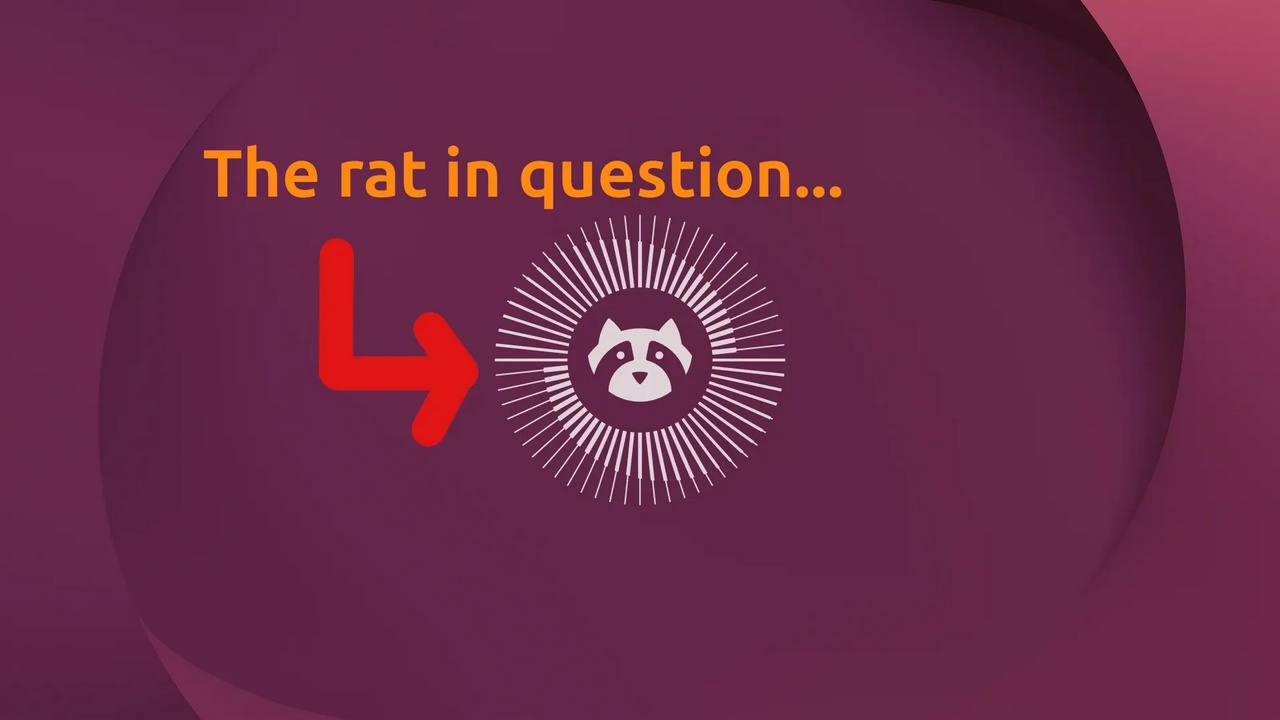
About that purple rat… I actually think it may be a raccoon of some sort? Either way, I quite like it! I’ve started using Linux again after spending a short amount of time trying to find a suitable Windows laptop I would be capable of running Overwatch on since it doesn’t run on mac OS due to software compatibility limitations. And as usual, I’ve rediscovered the massively disappointing first-start experience of any Windows machine. Over an hour of setup and reboots just to apply a list of updates that continued to grow instead of shrink with each boot. Uninstalling a plethora of apps and services Microsoft and the OEM (in this case, Dell and HP as I tried a couple of laptops) decided would be in my best interest to have.
I’ve come to the conclusion that my desire to play a single game is far lower than my desire to use an operating system that doesn’t feel like it actually hates me. I quickly shifted my focus from debloating and reinstalling clean versions of Windows, to installing an operating system I have very fond memories of: Ubuntu. Knowing that I wouldn’t be pleased with using a gaming laptop for normal tasks, I ditched the clunky Alienware laptop I had purchased and went down a rabbit hole of attempting to use multiple laptops from multiple OEMs. Not everything went as smoothly as I had hoped, but to some extent, much of this was my fault. Here’s a short and sweet recap that omits a few attempts…
Firstly, the laptop I genuinely wanted the most; a Dell XPS 13 (model DX13260). I was thrilled to have found a really thin and light laptop that was well-built and had a modern Intel processor. I assumed that I would have the smoothest experience with it and Linux, particularly when it comes to features like Secure Boot and TPM-backed encryption. I was wrong. After multiple attempts to get this working by disabling, re-enabling, clearing, restoring the relevant settings in the UEFI, this feature was consistently unavailable for enablement in the Ubuntu installer. I really wanted this feature to be available and functional, so despite loving the hardware, I ditched the XPS and moved on to an HP laptop.
I applied the same logic with this attempt, opting for a high-end HP laptop (model D3KN6U) that was relatively standard and featured an Intel processor. In the past, I’ve had the most seamless experiences with Intel processors running Linux. Again, swing and a miss! This time, I just could not get it to boot consistently with any Secure Boot features enabled. But what if maybe this model was fine, I just needed to try another processor? So that’s exactly what I did!
Here I go, fresh USB stick, fresh download of the latest Ubuntu release and some hopes that AMD may just be my savior here! I power on my wonderful new HP laptop (model D3KU2UA) and go through the UEFI to configure the proper settings. Clearing, restoring, disabling, enabling all of the relevant keys and settings multiple times to no avail. Nothing worked the way it should! At this point, I was genuinely becoming quite frustrated because I remember this being so much easier when I daily drove Linux in the past. Incidentally, I experienced a quirk where I could boot Ubuntu 26.04.1 just fine, but without Secure Boot ever working or being visible to the OS. and 26.10 wouldn’t boot at all… until I unplugged the laptop? At that point, 26.10 would boot but alas, no Secure Boot.
By then, a new week rolled around and a new set of retail sales were live at my local Best Buy. I figured since I was already this far down the rabbit hole, I may as well try one more! Off I go to make the swap and I brought home a Dell laptop (model DS14265) that I had been eyeing anyway. I wasn’t expecting anything to work at this point, so I just popped in my Ubuntu 26.04.1 install media, went through the UEFI to tweak the appropriate settings as I usually do, and restarted the machine.
Great success! Bingo! Voilà! Presto! (insert any other number of phrases that you see fit…) It worked. Secure Boot was visible to the system. Not only that, the Ubuntu installer also allowed me to select TPM-backed encryption during my installation and gave me absolutely zero trouble! It just worked as it should. No fuss, no muss. Which concludes the “short and sweet” recap of devices I tried (and failed) to use and begins my praise of a wonderful little raccoon I may only be able to describe as “resolute”!
I cannot express enthusiastically enough just how refreshing the Ubuntu first-run experience is, especially after coming from a Windows device. Logging into my system for the first time, I was greeted with a “welcome” application that served me a few important options like whether or not to enable location services, device telemetry, and the option to enroll in Ubuntu Pro (a service that is free for personal use and includes some pretty awesome features). Aside from that, just a quick mention of where to get apps and that’s it! I wasn’t forced to sign in or create an account, nor was I required to have internet access at any point during setup. As with any system, one of the first things you should do is update it. On Windows, this is a process that could take up to an hour to complete. On Ubuntu, it was as simple as opening the software updater and hitting install. The process took less than two minutes and a single reboot. That’s all.
The next thing I did was get my apps installed. What good is a computer without the software you want to use? There was a period of time in the past where Snaps could be a point of friction in regards to the speed of app opening, or fairly common functions breaking due to confinement. Now? I opened up the App Center and installed a bunch of apps I needed like Signal, Discord, Tailscale, Telegram, etc. All of them installed without a hitch and opened exactly the way you’d expect. No awkward pause as an app icon bounces after you click on it… Firefox opened instantly and may I just say is far smoother and more beautiful than it has ever been for me in the past (great work, Firefox folks!). Aside from a few quirks like Taildrop only allowing me to send or push files from within the ~/snap/tailscale/ directory, every one of my apps has been working remarkably.
It has been a remarkable experience to open up my laptop and have it work exactly like it’s supposed to. I haven’t been spammed with advertisements about gaming subscriptions, cloud storage offers, office suite subscriptions, or had “sponsored” apps and games show up in my launcher. The only downside I’ve really experienced is that I have not been able to get my audio output to work at all. I currently have a “Dummy Output”, which I believe is just a placeholder when there isn’t an audio device available. Something I’ll try to work on at some point, but will manage without since I rely on my AirPods for listening anyway. Another thing which as worked wonderfully, by the way. Bluetooth connection and playback via my AirPods has been flawless including volume and playback controls. Even performance controls have worked wonderfully and my battery life has been wonderful. Brightness, keyboard backlight, resolution and scaling are all working perfectly.
These may seem like fairly simple things to get excited about, but mind you, the Linux experience is often claimed to be terminal-first hackery and yet I’ve not had to touch it once. That’s not to say I don’t have some critiques… My desire to use TPM-backed encryption is an oddly specific one, but one that should work reliably for people as it is effectively the new standard for how people use their machines. It’s a far more elegant solution than typing in two passwords with every login and certainly more desirable for the everyday user. There’s clearly work to be done on making sure that gets better moving forward. In the meantime, standard installations pretty much work in most situations. Unencrypted and LUKS encrypted installs worked just fine for me (I had done this on multiple machines just to see if I could at least get that going, even if Secure Boot failed) and would still provide the same, clean experience that puts Windows to shame.
This is the first time I can ever remember choosing to use an LTS version of Ubuntu when a new standard release is available as I typically chase the newest of the new. Now I don’t even feel like I need to. Things have been fast, reliable, and so gosh darn easy. I think if I was in the mood for deep and involved tinkering, I totally would think about getting on the interim release, but that’s for future me to deal with! There’s a reason I’ve chosen to type this all up on my laptop rather than hopping on my Mac to do it. The fact that unlike every piece of commercial software in deployment right now, this operating system is made by a talented group of thousands of contributors from around the world, many of which are unpaid volunteers, and yet they choose to contribute code and testing time to making it all work together. I love my Mac, but I certainly wouldn’t say it excites me in quite the same way, and Windows is in such a state of disrepair that it isn’t even worth considering.
Installing Ubuntu on this laptop has been a real treat. No doubt I’d do it all again if I was starting fresh!
I want to give a massive shoutout to the folks I’ve met and made friends with over the years of me dipping my toes into the Linux world as they’ve been a source of assistance, inspiration, and camaraderie. In every community there is disagreement, but the passion in the open source community has ultimately also been its strength and the glue that has held it together across the globe. Thank you!
Dream 261113 — The Hunger Color
from darkest before dawn
A door full of sand, a forbidden book, and onion rings.
We go to a meeting in Russia. No car. No money. Grey and dusty. Is this Chernobyl?
I manage to get a car I found running. I have to hide it (and us) in an old concrete plant.
The first place I find, we access by taking an elevator. Sarah Tvedt is there, bitchily snooping. She doesn't want us to have a car. She wants us to suffer like she does.
Bitch.
I hide it deeper, under this iris thing. It's cool, like the Batcave. Rusty and industrial.
Now that I have a car, I go out adventuring.
I find a bookstore or library. The sign is garbled, like it was designed by the same AI that made spaghetti-eating Will Smith.
It's an upstairs-downstairs situation. Upstairs, you sit, eat, and read your books. I notice everyone has big, glorious stacks of books, but I only have my one.
I ask another patron, and she tells me there is another level, but it's only for Chinese.
“Not for you,” she says, eating pizza and gesturing at her eyes.
I go down the stairs.
It's yellow and wood, with shag carpet, like the '70s.
The clerks downstairs are helping another customer, and I approach the door in the small room as if I belong there.
When I turn the handle, it's firm and refuses to turn. I try to turn it with my mind, visualizing the parts inside the lock, but all I can see are rocks and sand.
The clerk gets my attention and tells me the door is for employees only.
I ask for a different color book, and she says I cannot read it.
And I tell her how hungry I am.
“You want onion rings?” she asks.
I answer in the affirmative.
Then a little man comes out and gives me the biggest plate of onion rings I've ever seen.
They are glistening and warm, fresh out of the fryer.
As I carry them up the stairs, I'm back in the garage of the concrete plant where the car is stored.
Then I wake up to the sun making the room glow a golden yellow.
#dream
Where Did All the Feeds Go?
from Mitchell Report

I've noticed a troubling trend lately. RSS feeds seem to be disappearing from a lot of business, news, and even personal websites, and the trend seems to be accelerating. Now Reddit is pulling its RSS feeds. This isn't a new trend. Twitter (now X, and I hate that name) discontinued its official RSS feeds back in 2013. Years later, services like Nitter and XCancel came along, offering alternative ways to follow Twitter/X content. These were great services, but they have since been discontinued following legal threats from Elon Musk's X.
Earlier in 2026 I was noticing RSS was making a comeback. I was reading about Dave Winer, one of the inventors of RSS, doing things with it (namely his rss.chat). I use RSS to read the sites I want to follow without having a lot of browser tabs. When I find a site that interests me, I subscribe so I have an easy way to follow all the sites I want in one place. I will visit sites again via the RSS feed if the full post is not there. RSS seemed to be enjoying a resurgence, only to suddenly appear to be going out of vogue again, especially business-related ones.
For some business examples, there is Samsung Community, where the RSS feeds I used to follow are no longer available after its recent platform upgrade. I used them to keep up with trends and other information that might affect my phones and laptops. Another one was Food.com. Its RSS feed stopped working in the same month, October 2026.
A few personal bloggers I follow have stopped offering RSS feeds. I'm not going to mention them because I don't know whether it was their choice or the result of a platform or hosting change that no longer supports RSS or has it turned off by default and it isn't my place to question how they run their sites. I did ask one person I follow about it, and they hadn't really thought about it. They ended up adding a native RSS feed. You can use OpenRSS.org to follow sites that don't offer RSS, but OpenRSS has limited resources.
And apparently, I'm not imagining the broader problem. A recent study by RSSLY found that only 24% of the websites it examined had a discoverable, working RSS feed. It also found that 57% of the websites in its historical comparison that advertised feeds in 2016 no longer advertised them in 2026.[1] Another study by Mark Nottingham identified more than half a million RSS and Atom feeds, but found that only 38.1% had evidence of being updated within the preceding year.[2]
I just wish more websites would remember that RSS is a simple way for people who actually want to follow them to keep coming back. Hopefully, this isn't really a trend, and it's just me coming across sites whose owners, for one reason or another, didn't realize their RSS feeds were gone. And for businesses, please stop. You generate more goodwill by keeping RSS feeds than by removing them and becoming totally closed off, and it can't be costing you that much in business or resources to provide a feed.
Footnotes
Vlad Fedoniuk, "The State of RSS in 2026: We Checked the 10,000 Most Popular Websites," RSSLY, November 4, 2026. Researchers attempted to examine 10,000 popular domains and successfully analyzed 6,459 websites. They found that 24% had discoverable, working RSS feeds. Their historical comparison also found that 57% of websites advertising RSS feeds in 2016 no longer advertised them in 2026, although some feeds may still function without being publicly advertised. Source
↩Mark Nottingham, "Web Feeds in 2026: A Survey," May 10, 2026. Using Common Crawl data, Nottingham identified 534,195 parseable RSS and Atom feeds. Only 38.1% showed evidence of freshness within the preceding year, although some feeds may lack reliable date information. Source
↩
#opinion #rss #technology
from defensivepersonality
People don't understand. They are saying they understand something but they don't understand that something...
So, why even say they understand?
from  Silent Sentinel
A Year Without You
In Loving Memory of My Brother, Aaron
A year ago today, you left this world.
And somehow, the world kept turning.
The sun continued to rise. Seasons changed. People went to work, children kept on playing, and life carried on with the quiet indifference of time.
But somewhere in that continuing world, there was an empty place where you had once been.
And nothing can ever fill it.
I've been thinking about what it means to lose someone.
Not simply the moment of their passing, or the sorrow that follows, but the strange realization that life continues to unfold without them.
There have been changes in my life this past year, Aaron.
Doors have closed. Others have opened.
I've walked away from things I once thought would always be part of my life. I've found new beginnings in places I never expected.
I've experienced moments of sadness, moments of uncertainty, moments of joy, and moments when I wished I could share what was happening in my life with you.
And through it all, you've remained my brother.
Death didn't change that.
It changed what was possible between us.
There will be no new conversations. No unexpected phone calls. No opportunity to make another memory together.
But there is still a lifetime of memories that death cannot reach.
And there is still love.
I've come to understand something about grief.
It isn't always loud.
Sometimes it is simply the quiet recognition that someone is missing from a world that continues to move forward.
Sometimes it's remembering your face.
Your voice.
A moment that seemed ordinary when it happened, but became precious because there would never be another quite like it.
And sometimes grief is simply speaking your name.
Aaron.
A name that belongs to a life.
A life that mattered.
A life that cannot be reduced to the day it ended.
I don't know what I would say if I could sit with you one more time.
Perhaps that I bought a house and when I picked up the phone to tell you, it broke my heart that I couldn't make that call.
Perhaps we'd simply talk about ordinary things, the way brothers do, without realizing how extraordinary those moments really are.
But I know this much.
I'm grateful you were here.
I'm grateful that somewhere in the story of my life, our paths were joined not by chance, but by blood, by history, and by the simple truth that you were my brother.
And although this past year has taught me that life does not wait for grief to finish its work, it has also taught me that moving forward does not mean leaving everyone behind.
Some people travel with us in ways the world cannot see.
In our memories.
In the stories we tell.
In the love that remains after goodbye.
So today, I won't measure your life by the year you've been gone.
I'll remember the years you were here.
The person you were.
The place you held.
And the brother you will always be.
Rest peacefully, Aaron.
One year has passed.
You are remembered.
You are deeply loved.
And there will always be space for you in my home.
With love,
Your brother.
#ArchitectureOfGrief
Explore more writing from Silent Sentinel →
© SilentSentinel, 2025. All rights reserved. Excerpts may be shared with attribution.
from defensivepersonality
How would it feel like to use all of my brain?
How would I feel?
Would I just be pure matter or energy?
DHCP diwali
from An Open Letter
I celebrated Diwali for the first time today. It feels weird because it doesn’t feel like my culture, but at the same time I understand that it’s not like I’m white. I’m at this weird middle ground of a race, but I always think about how I do have my culture of growing up online that I go with and I do value.
from Jours de J.

perle sans collier sur l'asphalte fissuré feuilles sans attache tourbillonnées par le vent journées sans éclat enveloppées de brouillard
photo “Herbst auf Asphalt” by @brigeh@pixelfed.de, licensed under CC BY