Want to join in? Respond to our weekly writing prompts, open to everyone.
from Blog of Sand
Inbetweeners 40- Xalatra Questline Part 1- Hunt for Tok Tok
So the players had received their marching orders from the Lady of Pain— find Xalatra of the Bleeding Glyph so she can find a remedy for their inability to travel linearly outside of Sigil.
There were a few hanging plot threads here that increased the players motivation to resolve this quicky:
1) Zariel's ressurection ability has been corrupted in the absence of the Interloper. More on that later.
2)The Lost Titan has threated to destroy them and Arkanos Villa if they can't find him a suitable challenge.
3)The Interloper is currently imprisoned by Mechanus
4)While relatively safe in Sigil, the players are still wanted by Mechanus.
What the players were told about Xalatra was that in trying to map the boundaries between the multiverse and the Far Realm, she lost her mind. She began hyper focusing on magical glyphs, believing the right combination of glyphs could unlock secrets to the multiverse. She began etching some of these unstable glyphs across Sigil, and they would detonate violently and wreak havoc across the city. The Dabus responded and drove Xalatra underneath the city. Her current location is unknown but believed to be somewhere deep in the city. Xalatra corrupted a Dabus (something that should not have been possible). The rogue Dabus has been nicknamed Tock-Tock by the locals. Locating Tock-Tock is the players main lead on Xalatra.
Before we progress, I should reveal a little bit more about the Dabus.
The Dabus are servants of the Lady of Pain and manage the day to day operations around Sigil. They are capable of repairing and rearranging the material in the city itself. An individual Dabus is not much of a threat, with a CR of 2. However, harming one will alert more, and resisting them will draw the Lady of Pain's attention. They are humanoid in shape, have goat horns, wispy white hair, and do not speak. They instead etch visual symbols or glyphs to communicate.
So, let's say someone set off an explosion in the streets that damaged some masonry. So long as the explosion was relatively minor, the perpetrator wouldn't face consequences from the Lady of Pain or Sigil directly. However, third parties might take issue with it and handle accordingly. Instead, Dabus would be dispatched who would simply fix the foundation and any damage to nearby structures that are done. They can do this relatively effortlessly, and the greater the damage, the more Dabus that will be deployed. If the person who set off the explosion tried to stop the Dabus from finishing, they would attack. They would start with simply throwing bricks or small psionic attacks, but if they attacker persisted, the Dabus could swarm and these swarms would be considerably more dangerous. If that didn't solve things, the Lady of Pain might show up directly and dispatch the trouble maker. However, residents of the city don't want to see the Lady of Pain deployed so frequently they will stop someone who is disrupting things specifically to avoid Dabus swarms and Lady of Pain influence. She could just decide to erase that part of the city, after all.
On the note of erasing part of the city—Sigil is also constantly changing. So perhaps a city block of factories is going to be leveled and replaced with a park. A swarm of thousands of Dabus could simply cover the area and in moments transform it, erasing what was there before. No one knows how big Sigil truly is, except for the Lady of Pain. by the same token, no one knows how many Dabus their are. The truth is that there are as many Dabus as the Lady wills at a given time. She can create more with a mere thought. They are not only on the surface of the city either. The majority are actually underneath the city, managing all of the different processes that keep the city running.
If a Dabus were to malfunction for some reason- perhaps it is heavily damaged, corrupted by a spell, or simply too old- it is recycled. Broken down to its constituent parts and reformed as a fresh new Dabus. This was done with Tock-Tock... many times. However, he keeps reappearing. It basically follows the same pattern, Tock-Tock arrives, starts drawing glyphs somewhere in the city, is seized and dissamebled by the Dabus and then reappears again elsewhere. Some sort of bizarre side-effect of Xalatra's far realm corruption interacting with the city itself. Tock-Tock isn't enough of a threat for the Lady to direct her attention to, so he continues to be a curiosity of the denizens of the city. Some even brag when they manage to catch a glimpse of Tock-Tock.
The players had a few options for how to track down Tock-Tock. They could head to a memory dealer, one who extracts memories and uses them as currency. This exiled Githzerai essentially operated in a black market for memories, and would have traded a memory about Xalatra for one of the players memories. Another option was to do research in the Hall of Echoes, sifting through memories to find one that is helpful. The third option, which the players chose, was to simply ask around. The Nameless One made them some introductions that helped.
The Nameless One summoned the players a boat that operated in the street by having water elementals under it. This method of travel let the boat bring the “water” with it, so you could travel by boat overland. While incredibly cool, this method of travel was very expensive, and the Nameless One left the players with the tab. Ironically, they took this fancy ride to a dive bar, but it certainly made an impression. The Nameless One figured since the players were celebrities, they should travel like celebrities. The dive bar was called the Gilded Gutter. On the outside it appears to just be an office, but inside it is speakeasy for mercenaries.
There were many patrons for the players to interact with. You can check the source document in the previous post if you are curious. But the important one is Velka Viral. She approaches the players after they talked to the Kenku about Tock-Tock, before discovering the Kenku could only repeat what it had previously seen so couldn't give them a new location. Velka runs several criminal enterprises in the surrounding area, and while she is very capable in a fight she prefers to work behind the scenes. She basically offers the players a deal, they help her evict some squatters in an industrial building she wants to develop, and she will give them a line on Tock-Tock. She is dismissive about the “squatters”, saying they are little more than religious zealots.
The Truth: A fire-elemental Illithid on the run from a party of Githyanki hunting them has taken up residence in the abandon foundry that Velka wants to redevelop. The Mind Flayer-Fire Elemental, Ignithar, has started a cult called the Everflame cult. He gathers creatures related to the elemental plane of fire to worship a fire elemental. His purposes are two-fold. He uses these zealots as free labor to smelt down precious metals to build up a nest egg. Secondly, he is building an army to protect himself when the Githyanki inevitably catch up to him.
The party of Githyanki actually approached the players before they entered the Gilded Gutter. They initially look down on the group considering their relative species, but Uzo is able to square up with one and they show a modicum of difference and offer a reward for any information about a Mind Flayer in the area.
The players decided to have Uzo pose as an initiate to infiltrate the foundry. Uzo then killed the cults “Everflame”, a fire elemental, which causes Ignithar to show himself and attack. Uzo was about to die when the rest of the group came down from the smoke stack, attacking Ignithar, causing him and his Efreeti partner to flee to the Elemental Plane of Fire. They then convince the remainder of the cult to join the Harmonium, so some Azers, fire mephitis, etc, make their way to Arkanos manor to join up. The players also netted a nice sum of precious metals (36000 gold worth) from the operation that they then keep. Essentially Ignithar had been sending cult members out to scrap anything precious they could. The Githyanki were very unhappy with this outcome, that Ignithar had escaped and they would have to follow them. They grab two of the former cultists to “interrogate” and then leave. However, Velka was very pleased with the eviction and set the players up with Rojurr, a gnome-plant hybrid potentially?
Rojurr is sold as a leading expert on the inner-workings of Sigil. The truth is that he does study the Dabus obsessively, but he is a degenerate drug addict. He nods off several times while speaking to the players, at one point snorting some substance and going unconscious, needed to be revived. The players struggle but eventually get him to stay on task long enough to give them the information they need. Since there is no apparent pattern to when or where Tock-Tock seems to appear next, and he appears for such a short time, Rojurr has been working on a non-deterministic, time independent, chaotic algorithm that can predict where he will appear next. It hasn't worked yet, but since the players are not tethered by causality, they are able to add the missing piece. Basically, they have an algorithm that will alert them when Tock-Tock is going to appear, but only right as its happening. They then must race to find him before the other Dabus disassemble him. After providing that information, Rojurr then continues to snort his mysterious substance and returns to a coma-like state.
The Inbetweeners were alerted that Tock-Tock appeared next to a clock tower in the town square where he was etching glyphs. The players then defend Tock-Tock from Dabus that come to disassemble him. The Dabus synergize with one another, so they can cast magic missile that is boosted the more that are around, along with many other abilities. Eventually, after the players defeat a few, they start to swarm. The Dabus swarms are far more dangerous, acting as a CR 10 creature with the ability to cast a barrage of magic missiles, collapse in on a target, or sacrifice itself to unleash additional missiles. Eventually several swarms start to converge, but when the players defeat one that escalates things enough to get the attention of the Lady of Pain, who sends the others away to let the players continue unimpeded. Essentially, the players needed to cause enough of a ruckus to draw the Lady's attention so she could intervene, the exact outcome most would do everything they could to avoid—but the players are working for the Lady of Pain.
From here, the players communicated with Tock-Tock, who unlike the other Dabus actually tries to vocalize but isnt quite able to. Tock-Tock uses symbols and glyphs to bring the players to the entrance of the Gutworks, the inner workings of Sigil.
And we will pause there. Next post, I'll delve into the Gutworks.
But yeah, kill fire elemental mind flayer, evict cult, save tock tock. That was the order of events.
I Need a Good Break from Technology
from Dallineation
I've often wondered what it would be like to spend an extended period of time without the devices I use to distract and entertain myself.
I'm talking at least two weeks without screens. No smartphones, tablets, laptop or desktop computers, televisions, video game devices, etc.
How could I even make something like that happen? The problem is some of the same devices I use to distract me I also use to work, communicate, travel, manage finances, keep track of my health, and a host of other things.
I work remotely from home. My means of supporting my family requires me to look at a laptop for extended periods of time. But then, inexplicably, I choose to spend much of my free time looking at more screens.
I need a good break from technolgoy. I need a reset. I feel like I've needed one for a long time.
I wish I could have the time to just stop for a good while, and then slowly and intentionally start using technology again and pay attention to how it affects me. Make sure that I'm using it instead of it using me.
But I don't know how to even make that happen.
#100DaysToOffload (No. 187) #tech #life #addiction
The AI Fraud Factory: Why Spotting Deepfakes Will Not Save You
from  SmarterArticles
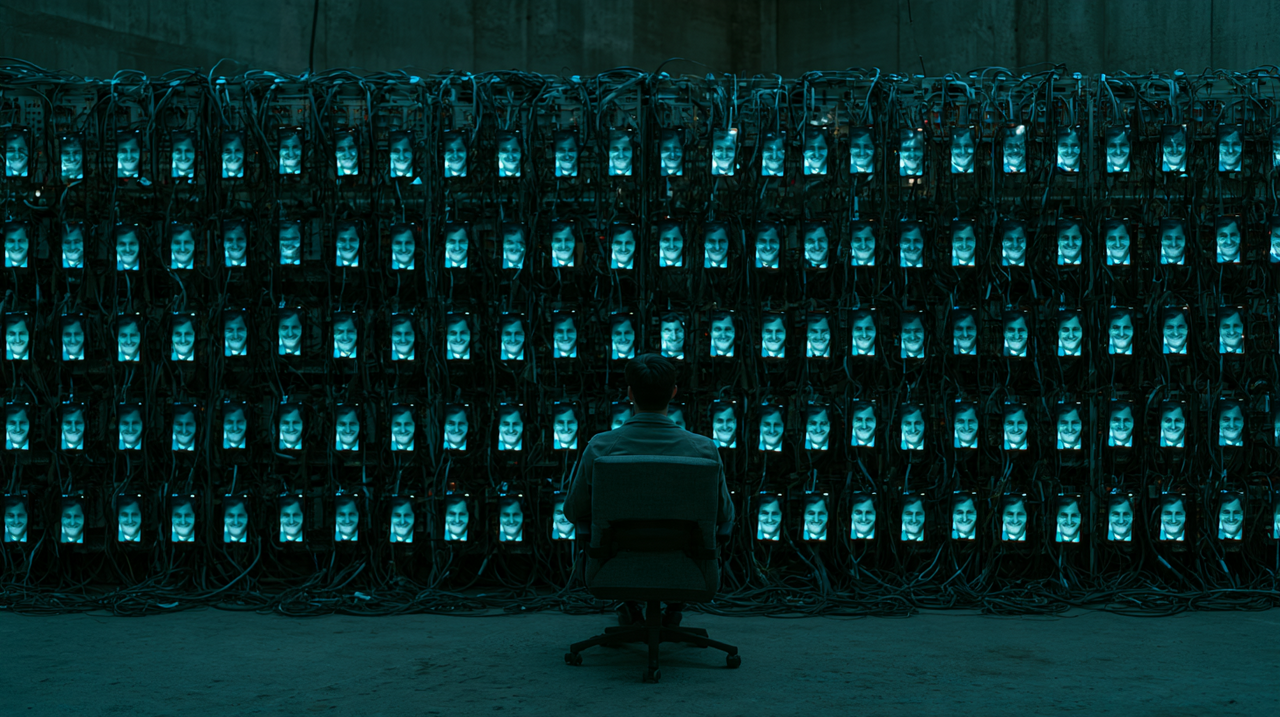
The software on the slide looked like something a sales team would buy. There was a dashboard. There were contact targets for the day. There was a pipeline that tracked each prospect from first message to final payment, and an assistant that suggested the next reply. Eric Huber, senior manager of adversary intelligence and disruption at TD Bank, was showing it to an audience at Black Hat USA 2026 in Las Vegas in August. The prospects in the pipeline were fraud victims. The workers hitting their daily quotas were, in many cases, trafficked people held in scam compounds in Cambodia and Myanmar, who faced punishment if they fell short.
One of the tools Huber demonstrated, according to reporting by Joel Witts at Expert Insights, was a reply generator called Editone. An operator loads a victim's profile alongside a fabricated persona, and the software drafts responses designed to land. It has voice cloning built in. Translation software lets a worker who speaks one or two languages work a target in a third. Tara Seals of Dark Reading described another kit, ProKYC, used by Nigerian fraud rings to defeat banks' identity checks by generating forged “selfie with ID” images stamped with fake location metadata, so a picture taken in Nigeria appears to come from Sydney. Her headline summed up the session: AI had sent global crime syndicates into “fraud nirvana”.
Huber was careful about one point, and it matters more than the headline. The tools, he said, do not automate the scam. They “help some poor person do the scamming by creating responses that are going to be the most effective.” What he described was not a robot that defrauds people by itself. It was a factory: a production line in which human labour, software and management systems are arranged to maximise output per worker, and in which each new piece of AI removes another bottleneck.
That distinction reframes the question people actually ask. When a voice that sounds exactly like your son calls in tears, or a colleague's face appears on a video call asking for an urgent transfer, or a stranger online seems to understand you better than anyone has for years, how do you tell the real from the manufactured? The uncomfortable answer from the research of the past year is that, in most cases, you cannot, at least not by looking and listening. The more useful answer is that you were never supposed to have to. Factories are beaten by changing their economics, not by asking each customer to inspect the product more closely.
A Production Line Built on Conversation
To understand why AI matters to fraud, start with what fraud work consists of. The most detailed answer comes from a study posted to arXiv in December 2025 by Gilad Gressel, Rahul Pankajakshan, Shir Rozenfeld, Ling Li, Ivan Franceschini, Krishnashree Achuthan and Yisroel Mirsky, titled “Love, Lies, and Language Models: Investigating AI's Role in Romance-Baiting Scams”. The researchers interviewed 145 insiders and five victims. Their central finding was that 87 per cent of scam labour consisted of what they called “systematized conversational tasks”, the scripted, repetitive work of building rapport over weeks of text messages before steering a target towards a fraudulent investment.
That figure is the key to the whole economy. A scam compound is, in effect, a call centre whose product is trust, and most of its costs are the hours it takes to produce that trust one conversation at a time. The team then tested what happens when a machine does the talking. In a week-long blinded study, a language-model agent elicited more trust from participants than human operators did, and achieved higher compliance with requests: 46 per cent against 18 per cent for the humans. Commercial safety filters, run over the romance-baiting dialogues, flagged 0.0 per cent of them. The authors concluded that these scams “may be amenable to full-scale LLM automation”.
International law enforcement has reached a similar conclusion. In March 2026, INTERPOL published its second Global Financial Fraud Threat Assessment, timed for its Global Fraud Summit. The organisation reported that AI-enhanced fraud is 4.5 times more profitable than traditional methods, and that fraud-related INTERPOL Notices and Diffusions, the alerts member countries use to flag suspects and methods, had risen 54 per cent since 2024. It warned that agentic AI systems can now run complete fraud campaigns, from reconnaissance to ransom demands. It described hybrid tactics in which sextortion is built into romance and investment scams using scripts and AI-generated content, and scam centres that were once regional now operating worldwide and involving hundreds of thousands of people, many of them trafficked. Valdecy Urquiza, INTERPOL's Secretary General, put it in a single phrase: “we are witnessing the industrialization of fraud.”
The United Nations Office on Drugs and Crime, in a threat assessment launched in Bangkok in July 2026, estimated scam losses across East and South-East Asia, Australia and New Zealand at between $88.3 billion and $114.1 billion in 2025. It documented the use of generative AI, deepfakes and automated fraud, and found people from at least 80 countries and territories inside the region's compounds. The geography of the labour force and the geography of the victims are both global.
Academic work has started to describe the same shift in its own terms. A January 2026 paper by Heedou Kim, Changsik Kim, Sanghwa Shin and Jaewoo Kang, which built a detection system called ScriptMind from 571 real Korean phone scam cases, observes in its introduction that “with advances in LLMs and generative AI, such scams have evolved into large-scale, organized, and multi-channel attacks.” A survey of AI-driven cybersecurity threats by Sai Teja Erukude, Viswa Chaitanya Marella and Suhasnadh Reddy Veluru, also posted in January 2026, puts it more bluntly: “The real danger of AI in cybercrime is that it's now possible to automate complex and large-scale scams.”
The Arithmetic of a Five-Minute Phone Call
Factories exist because of unit economics, and the most useful recent paper on AI fraud is an exercise in accounting. “Evaluating AI Models' Capability to Automate Voice Phishing Attacks”, by Fred Heiding of Harvard Kennedy School and colleagues including Claudio Mayrink Verdun, Simon Lermen, Andrew Kao and researchers at Meta, was posted to arXiv in July 2026 and published in the journal Expert Systems With Applications.
The team ran a survey experiment with 4,100 American adults, exposing them to recordings or transcripts of scam calls voiced by leading AI voice models, including systems from Google, OpenAI, ElevenLabs and Sesame, and comparing them with human-voiced versions. The overall compliance rate across five scam types was 16.5 per cent. In the “relative in distress” scenario, the one that maps onto the classic family emergency call, up to 36 per cent of participants said they would or might comply. Caller persuasiveness was the strongest predictor of compliance, and some synthetic voices, Sesame's in particular, were rated as persuasive as human ones or slightly more so.
Then came the accounting. A human vishing operator, calibrated at the average American non-farm wage of $34.55 an hour, handles about twelve five-minute attempts an hour. Assume the scammer extracts $450 from each successful victim, and that only 0.6 per cent of persuaded people actually pay, the lowest conversion rate the authors could find in any legitimate industry. On those assumptions, a human-run vishing operation at American wages loses around $27 an hour. Some AI models also lose money because inference is expensive. But others, including Gemini, Sesame and ElevenLabs, came out with positive expected profits. The authors estimated that building such a pipeline takes around 260 hours of engineering time. Their conclusion is the sentence that has travelled furthest from the paper: “even conservative estimates suggest that AI-automated vishing is economically viable at scales accessible to individual bad actors, not just organized crime syndicates.”
Precision matters here. The authors call AI vishing “roughly break-even” across the models they surveyed, not wildly profitable, and they found that targeting particular demographic groups was not yet worth its cost. So the popular shorthand, that the barrier to industrial fraud has fallen to zero, overstates the evidence. The real finding is subtler and more worrying. The constraint that used to cap phone fraud was human time. Each operator could hold one conversation at a time, and in a high-wage country that time cost more than the fraud returned. AI removes the constraint. As the paper notes, AI agents “can conduct thousands of concurrent calls, limited mainly by telephony and network capacities rather than human capacity.” The authors call the result an “automation dividend”: a situation in which “even small per-call success probabilities translate into large aggregate losses.”
Researchers outside the paper say the same thing in plainer language. In February 2026, the Guardian's Aisha Down reported on an analysis of the AI Incident Database, which found that frauds, scams and targeted manipulation had been the largest category of incidents reported to the database in 11 of the previous 12 months. Simon Mylius, an MIT researcher who works on a project linked to the database, told the paper that “capabilities have suddenly reached that level where fake content can be produced by pretty much anybody,” and that “there is really effectively no barrier to entry.” Heiding, quoted in the same piece, said: “It's becoming so cheap, almost anyone can use it now.”
Why Volume Beats Brilliance
The factory framing explains an apparent paradox. AI fraud does not have to be brilliant. It has to be good enough, cheap enough and plentiful enough.
A traditional con artist needed a high hit rate because each attempt cost hours of skilled work. A factory needs only a positive expected value per attempt, multiplied by a very large number of attempts. A 16.5 per cent compliance rate, or even a fraction of one per cent conversion to actual payment, is a disaster for an individual criminal working by hand. For an automated system running thousands of calls at once, around the clock, in dozens of languages, it is a business model. The Heiding team's economics deliberately assumed that AI scales no better than humans, which they acknowledge “is likely to underestimate the reach of AI-automated vishing”.
This is why the losses keep climbing. The FBI's Internet Crime Complaint Center reported 1,008,597 complaints in 2025, the first year it crossed one million, and reported losses of $20.877 billion, up 26 per cent on 2024. Investment fraud alone accounted for $8.6 billion. According to a Department of Justice release in April 2026, losses in the category of investment fraud the department ties to South-East Asian scam centres rose 24 per cent in 2025 to more than $7.2 billion.
The FBI also counted more than 22,000 complaints with an AI connection, with associated losses of nearly $900 million. That number is likely an undercount, for a reason that goes to the heart of the problem: victims usually have no way of knowing whether a message, a voice or a face was machine-made. Fraud built on synthetic trust leaves no fingerprint that the person defrauded can see. Statistics on “AI-enabled fraud” therefore measure the cases where AI was obvious, not the cases where it worked.
None of the technologies involved is exotic. Voice synthesis, real-time video generation and conversational language models are the same tools that power customer service bots, dubbing software and AI companions. The fraud factory does not need a research laboratory. It rents the consumer technology stack and points it at a different goal.
Your Senses Were Never the Security System
The standard advice to the public has long rested on perception. Listen for the robotic cadence. Watch for the blink that comes too late, the hands that look wrong, the shadow that falls the wrong way. Even the FBI's December 2024 public service announcement on generative AI fraud advised people to “look for subtle imperfections in images and videos, such as distorted hands or feet, unrealistic teeth or eyes”, and to “listen closely to the tone and word choice” to tell a loved one from a cloned voice.
The evidence on whether people can do this is not encouraging. In 2024, Alexander Diel and colleagues published a systematic review and meta-analysis of 56 papers on human deepfake detection in Computers in Human Behavior Reports, pooling results from more than 86,000 participants. Total detection accuracy was 55.54 per cent. Because the confidence interval crossed 50 per cent, the authors concluded that overall detection was not significantly better than chance. Audio was the easiest format at 62.08 per cent; images and text were barely distinguishable from guessing. An earlier study in iScience by Nils Köbis, Barbora Doležalová and Ivan Soraperra summed up the psychological trap in its title: “Fooled twice: People cannot detect deepfakes but think they can.”
Muhammad Tahir Ashraf, a practitioner and technology entrepreneur, made the consequence explicit in an April 2026 arXiv paper titled “Synthetic Trust Attacks”. “Generative AI is the force-multiplier behind this surge,” he writes, “enabling voice cloning, video deepfakes, and LLM-driven conversations that scale social engineering attacks to industrial speed.” His core argument is that existing defences focus on detecting synthetic media, while “the real attack surface is the victim's decision.” Citing the detection figures and the 46 versus 18 per cent compliance gap, he concludes that “the perception layer has already failed.” Ashraf's framework is a model rather than an empirical study, but its diagnosis lines up with the data.
The clearest real-world illustration remains the case Ashraf opens with. In early 2024, an employee in the Hong Kong office of the British engineering firm Arup joined a video call with people who appeared to be the company's chief financial officer and other colleagues. All of them were synthetic. The employee made 15 transfers totalling HK$200 million, about US$25.6 million, according to Hong Kong police as reported by CNN. Rob Greig, Arup's global chief information officer, later told the World Economic Forum that this was not a cyberattack in the usual sense, because no system was breached. “What happened at Arup,” he said, “I would call it technology-enhanced social engineering.” Nothing was hacked except a person's reasonable belief that the faces on the screen were real.
If perception has failed, then asking individuals to look harder is not a defence. It is a transfer of risk to the person least able to bear it.
The Executive Who Asked About a Book
There is a better model, and some of the most instructive examples come from people who were not fooled.
In July 2024, Bloomberg reported that an executive at Ferrari had received a series of WhatsApp messages, from an unfamiliar number, purporting to come from the chief executive, Benedetto Vigna. They described a confidential acquisition. A phone call followed, in a voice that imitated Vigna's southern Italian accent convincingly. The executive grew suspicious and said, according to the report: “Sorry, Benedetto, but I need to identify you.” He asked for the title of a book Vigna had recommended to him days earlier. The call ended abruptly.
That executive did not detect a deepfake. He did not spot a glitch or a wrong vowel. He applied a procedure: a challenge whose answer existed only in a shared history that the impersonator could not access. That is the crucial shift. A procedure works whether or not the fake is perfect. Perception works only when the fake is flawed, and the factories are paid to remove the flaws.
The second example shows what happens when procedure fails at the individual level but works at the system level. On 24 March 2025, a finance director at a multinational company in Singapore was contacted on WhatsApp by someone posing as the company's chief financial officer. A purported lawyer called to stress confidentiality, and the director signed a non-disclosure agreement. On a Zoom call the next day, he saw the chief executive and other executives, impersonated with deepfakes. On 26 March he transferred more than US$499,000 from the company's HSBC account into what turned out to be a money mule account. The scam came to light only when the fraudsters asked for another US$1.4 million. He alerted HSBC, which immediately notified Singapore's Anti-Scam Centre. By 28 March, working with the Anti-Deception Coordination Centre of the Hong Kong Police Force, the authorities had withheld the full amount that had been moved on to Hong Kong, more than US$494,000, and seized the remainder locally.
The director was fooled. The money was recovered anyway, because a bank, a national anti-scam centre and a foreign police unit could act within days across a border. The factory beat the person. It did not beat the system.
For individuals, the lesson is to replace judgement with routine wherever money or credentials are involved. The FBI's own list contains the useful parts: “Create a secret word or phrase with your family to verify their identity,” and verify a caller “by hanging up the phone, researching the contact of the bank or organization purporting to call you, and call the phone number directly.” The value of these steps is that they are channel-independent. A cloned voice cannot know a code word agreed at the kitchen table. A deepfaked colleague cannot intercept a call you place to a number you already hold. A romance that has never moved off one app, never met in a verifiable way and eventually turns to an “opportunity” fails a procedural test long before it fails a perceptual one.
Ashraf's paper packages similar advice as “Calm, Check, Confirm”, a protocol aimed at the moment of decision. The names matter less than the principle. Urgency, secrecy and a new channel are the three pressures that recur across the Arup, Ferrari and Singapore cases, and they recur because they are designed to stop the victim from running a procedure. Any request that combines them should trigger one automatically, however real the voice or face seems.
But these steps have limits. They protect people who set them up in advance, which disproportionately means the organised and the informed. They do little for someone isolated, someone in crisis, or someone whose new romantic interest has spent six weeks becoming the most attentive presence in their life. A defence that depends on billions of people behaving like a well-briefed Ferrari executive is not a defence against a factory. It is a lottery with better odds for some players.
Making the Bill Land Where the Fix Is
If individual vigilance cannot carry the load, the question becomes who can, and how to make them want to. The most promising answer of the past two years has been to move the cost of fraud onto the institutions that can change the factory's economics.
The United Kingdom made the boldest bet. Since 7 October 2024, the Payment Systems Regulator has required payment firms to reimburse most victims of authorised push payment fraud, the kind in which a victim is tricked into sending money themselves, up to £85,000, with the cost split between the sending and receiving firms. In the first full year, to the end of September 2025, the regulator reported that £173 million had been returned, 88 per cent of the money lost to in-scope scams. Only about three per cent of claims were rejected on the grounds that the customer had not taken enough care. More important for the factory argument, an independent evaluation published by the regulator in July 2026 found that APP fraud losses over Faster Payments fell by around 21 per cent after the requirement came in, a reduction of about £73 million a year, and that the rules had strengthened firms' incentives to invest in prevention. Reimbursement does more than compensate victims. When banks pay for fraud, they have a reason to hunt mule accounts, slow suspicious transfers and share the intelligence that makes fraud less profitable.
Singapore went further up the chain. Its Shared Responsibility Framework, developed by the Monetary Authority of Singapore and the Infocomm Media Development Authority and in force since 16 December 2024, assigns specific anti-phishing duties to banks and to telecoms operators, from real-time fraud surveillance to blocking unauthorised SMS sender IDs and filtering messages containing malicious links. Losses then flow down a “waterfall”: a bank that has breached its duties bears the loss first; if it has not, a telco that has breached its duties pays; only if both have complied does the loss stay with the consumer. The design point is that liability follows the specific failure, so each link in the chain has a reason to fix its own part.
Australia passed the broadest version. The Scams Prevention Framework Act, which cleared both houses of Parliament on 13 February 2025, imposes obligations to prevent, detect, report, disrupt and respond to scams on banks, telecoms providers and digital platforms, including social media, with civil penalties of up to A$50 million for serious breaches and a route for consumers to seek redress when a business has failed its obligations. The Australian figures also give the most honest picture of what system-level defence can and cannot do. According to the National Anti-Scam Centre, reported losses fell 25.9 per cent to A$2.03 billion in 2024, a drop the centre credited to joint work by government, industry, law enforcement and community groups. In 2025 they rose again by 7.8 per cent, to A$2.18 billion. Catriona Lowe, deputy chair of the Australian Competition and Consumer Commission, called scams a “wicked problem” because they are “complex, fast-evolving, and resistant to simple solutions,” and pointed to the “increasing sophistication in scam activity through artificial intelligence.”
That is the realistic shape of success. Coordinated systems can bend the curve. They cannot make a factory disappear. They have to keep changing its input costs faster than it can adapt.
Breaking the Machinery Upstream
The most direct way to raise a factory's costs is to attack its equipment, its premises and its money. Over the past year, that has started to happen.
The United Kingdom's Crime and Policing Act 2026, which received Royal Assent on 29 April 2026, created offences of possessing and supplying SIM farms without a legitimate reason. These devices, defined in government guidance as equipment able to use five or more SIM cards at once for calls or messages, allow a single operator to send scam texts at industrial volume. The government announced the measure in 2025 as a first in Europe and said it would take effect six months after Royal Assent. Critics have noted that much scam traffic originates abroad, which limits what a domestic ban can achieve. But the logic is sound. The offence targets the machine that multiplies one person's reach, rather than the message the machine sends.
In October 2025, after Myanmar's military said it had raided KK Park, one of the largest scam compounds on the Thai border, detaining more than 2,000 people and seizing 30 Starlink terminals, SpaceX said it had disabled more than 2,500 Starlink kits near suspected scam centres in the country. Reporting at the time noted that other compounds along the border remained active and that operations might simply relocate. Factories move when they are disrupted. That is a reason to disrupt them repeatedly, not a reason to stop.
The money is the third target. In October 2025, the US Department of Justice filed a civil forfeiture complaint against around 127,271 bitcoin, then worth roughly $15 billion, linked to Chen Zhi, chairman of Cambodia's Prince Group, whom prosecutors charged with wire fraud and money laundering conspiracy over forced-labour scam compounds. The US Treasury and the UK government imposed coordinated sanctions on the network. Chen and Prince Group have denied wrongdoing. Cambodia, which had revoked his Cambodian citizenship by royal decree in December 2025, arrested him on 6 January 2026 and, in a move announced the next day, sent him to China along with two other Chinese nationals. China's Ministry of Public Security said his group was suspected of fraud, running casinos and concealing criminal proceeds. The Justice Department's Scam Center Strike Force, created in November 2025, said by April 2026 that it had restrained more than $700 million in cryptocurrency and taken down more than 500 fraudulent investment websites. By September 2026, after a single-day action that restrained about $52 million linked to Xinbi Guarantee, a Telegram-based marketplace sanctioned by the US Treasury the same day, its cumulative total had reached about $938 million. INTERPOL, for its part, launched Operation Shadow Storm, a task force funded by the UK Home Office to go after the financial networks behind scam centres.
None of these actions alone ends industrial fraud. Together they move effort away from the moment a victim must decide whether a voice is real, and towards the infrastructure that makes it cheap to fake the voice ten thousand times.
Building Factories That Waste the Factory's Time
There is a further move available, and it has a pleasing symmetry. If AI makes it cheap for criminals to hold thousands of conversations, it makes it equally cheap for defenders to hold thousands of conversations with criminals.
In November 2024, the British mobile operator Virgin Media O2 unveiled Daisy, an AI “granny” built to answer scam calls in real time. It chains together a speech-to-text model, a custom language model with a character layer, and a synthetic voice, and it was trained with help from the YouTube scambaiter Jim Browning. O2 seeded Daisy's numbers onto the lists scammers use to find victims. The company said Daisy had kept numerous fraudsters on the phone for 40 minutes at a time. Murray Mackenzie, O2's director of fraud, warned that “no matter how persuasive someone on the other end of the phone may be, they aren't always who you think they are.”
Australia's Commonwealth Bank has taken the idea further. In June 2025 it announced a partnership with Apate.ai, a company spun out of Macquarie University's Cyber Security Hub and led by Professor Dali Kaafar. Apate runs a network of honeypot phone numbers designed to be found by scammers. When they call, they reach AI bots with varied ages, genders and accents, tuned with Australian slang, that keep them talking while gathering intelligence on their scripts and tactics. That intelligence feeds into the bank's scam controls and the wider anti-scam network in near real time.
The ScriptMind paper points the same way from the detection side. Its authors fine-tuned an 11-billion-parameter model on 22,712 structured examples built from real scam cases, report that it outperformed GPT-4o by 13 per cent, and found that in simulated calls it raised and sustained users' suspicion. The idea is not to ask people to hear the fake, but to have a machine recognise the script every factory relies on and warn the person in the moment.
These systems will not stop fraud alone, and some of them, Daisy especially, are partly marketing exercises whose results are reported by the companies themselves. But they point at the right target. A fraud factory's margin depends on the share of its labour and compute that reaches paying victims. Every minute a worker or an AI agent spends talking to a bot that will never pay, and every script that is captured and turned into a warning, is a cost the factory has to absorb. Automation does not only help the attacker. For once, it lets defenders operate at the same scale.
What Protection Looks Like for One Person Facing a Machine
So, back to the person holding the phone.
The honest answer to how an individual distinguishes a genuine interaction from a manufactured one is that, much of the time, they cannot by sense alone. Human detection sits close to chance. AI voices and conversationalists match or beat humans. And the factory does not need to fool you in particular. It needs to fool a small fraction of a very large number of people, and it can now afford to try them all.
What remains is a smaller set of habits that do not depend on perception at all. Agree a code word with the people whose voices you would trust in a crisis. When a request involves money, credentials or secrecy, end the conversation and re-establish contact through a channel you already hold. Treat urgency, confidentiality and a new or unusual channel, appearing together, as the signature of a procedure being bypassed. Talk to someone before you pay. None of that requires you to be a forensic analyst. All of it works whether the fake is crude or perfect.
The larger answer is that protection for one person has to be built mostly out of things that one person does not control. It looks like a bank that has a financial reason to stop the transfer, because it will pay if it does not. It looks like a telecoms network that blocks the SIM farm and the spoofed sender, because it bears a share of the loss when it fails to. It looks like a platform that faces penalties for letting a scam reach its users. It looks like anti-scam centres that can freeze money across a border within a day of the alarm being raised, satellite providers that cut off compounds, prosecutors who seize the bitcoin, and defensive AI that wastes the attackers' hours and steals their scripts.
INTERPOL's Valdecy Urquiza warned that the cost of financial crime “is not just money – it is people's life savings, their dignity, and in the worst case, their life.” The fraud factory runs on the assumption that this cost will continue to fall on individuals, one call, one video and one conversation at a time. The evidence from London, Singapore and Canberra suggests that assumption can be broken, and that the right response to industrialised deception is not a more suspicious public. It is an industrial defence. Every person on earth may now be a potential target. That does not make every person on earth responsible for being the last line of defence.
References and Sources
- Black Hat USA 2026 presentation by Eric Huber, Senior Manager of Adversary Intelligence and Disruption, TD Bank, as reported in: Witts, Joel. “Research reveals how criminal gangs are using AI to improve financial scams.” Expert Insights, 4 August 2026, https://expertinsights.com/news/research-reveals-how-criminal-gangs-are-using-ai-to-improve-financial-scams; and Seals, Tara. “AI Sends Global Crime Syndicates Into Fraud Nirvana.” Dark Reading, August 2026, https://www.darkreading.com/threat-intelligence/ai-global-crime-syndicates-fraud-nirvana
- Gressel, Gilad, Rahul Pankajakshan, Shir Rozenfeld, Ling Li, Ivan Franceschini, Krishnashree Achuthan and Yisroel Mirsky. “Love, Lies, and Language Models: Investigating AI's Role in Romance-Baiting Scams.” arXiv:2512.16280, submitted 18 December 2025. https://arxiv.org/abs/2512.16280
- INTERPOL. “INTERPOL report warns of increasingly sophisticated global financial fraud threat.” News release, 16 March 2026, including quotes from Secretary General Valdecy Urquiza; and the 2nd INTERPOL Global Financial Fraud Threat Assessment, 2026. https://www.interpol.int/en/News-and-Events/News/2026/INTERPOL-report-warns-of-increasingly-sophisticated-global-financial-fraud-threat
- Organized Crime and Corruption Reporting Project. “UN Report Details Southeast Asia's Interconnected Criminal Economy.” 21 July 2026, reporting on the UNODC threat assessment “An Interconnected Criminal Ecosystem”, launched in Bangkok on 21 July 2026. https://www.occrp.org/en/news/un-report-details-southeast-asias-interconnected-criminal-economy
- Kim, Heedou, Changsik Kim, Sanghwa Shin and Jaewoo Kang. “SCRIPTMIND: Crime Script Inference and Cognitive Evaluation for LLM-based Social Engineering Scam Detection System.” arXiv:2601.13581, submitted 20 January 2026. https://arxiv.org/abs/2601.13581
- Erukude, Sai Teja, Viswa Chaitanya Marella and Suhasnadh Reddy Veluru. “AI-Driven Cybersecurity Threats: A Survey of Emerging Risks and Defensive Strategies.” arXiv:2601.03304, submitted 6 January 2026. https://arxiv.org/abs/2601.03304
- Heiding, Fred, Claudio Mayrink Verdun, Simon Lermen, Andrew Kao, Vitor Albiero, Lauren Deason, Irina-Elena Veliche and Christine Lehane. “Evaluating AI Models' Capability to Automate Voice Phishing Attacks.” arXiv:2607.09970, submitted 10 July 2026, revised 20 August 2026; published in Expert Systems With Applications, volume 332, article 133620. DOI 10.1016/j.eswa.2026.133620. https://arxiv.org/abs/2607.09970
- Down, Aisha. “Deepfake fraud taking place on an industrial scale, study finds.” The Guardian, 6 February 2026; syndicated by the Irish Examiner as “AI experts say deepfakes now at 'industrial' scale”, 6 February 2026, including quotes from Simon Mylius (MIT) and Fred Heiding (Harvard). https://www.irishexaminer.com/news/arid-41789042.html
- Federal Bureau of Investigation, Internet Crime Complaint Center. “2025 Internet Crime Report.” 7 April 2026. https://www.ic3.gov/AnnualReport/Reports/2025_IC3Report.pdf
- US Department of Justice. “Scam Center Strike Force Takes Major Actions Against Southeast Asian Scam Centers Targeting Americans.” Office of Public Affairs press release, 23 April 2026, https://www.justice.gov/opa/pr/scam-center-strike-force-takes-major-actions-against-southeast-asian-scam-centers-targeting; and US Attorney's Office for the District of Columbia, “Scam Center Strike Force”, web page updated 15 October 2026, accessed 20 October 2026, https://www.justice.gov/usao-dc/scam-center-strike-force; see also Crypto Briefing, “Scam Center Strike Force restrains $52M in laundered crypto in one day”, 9 September 2026, https://cryptobriefing.com/scam-center-strike-force-52m-crypto-madagascar/
- Federal Bureau of Investigation. “Criminals Use Generative Artificial Intelligence to Facilitate Financial Fraud.” Public Service Announcement, Alert Number I-120324-PSA, 3 December 2024. https://www.ic3.gov/psa/2024/psa241203
- Diel, Alexander, et al. “Human performance in detecting deepfakes: A systematic review and meta-analysis of 56 papers.” Computers in Human Behavior Reports, volume 16, article 100538, December 2024, DOI 10.1016/j.chbr.2024.100538; and Köbis, Nils C., Barbora Doležalová and Ivan Soraperra. “Fooled twice: People cannot detect deepfakes but think they can.” iScience, volume 24, issue 11, article 103364, 2021, DOI 10.1016/j.isci.2021.103364.
- Ashraf, Muhammad Tahir. “Synthetic Trust Attacks: Modeling How Generative AI Manipulates Human Decisions in Social Engineering Fraud.” arXiv:2604.04951, submitted 2 April 2026. https://arxiv.org/abs/2604.04951
- Magramo, Kathleen. “British engineering giant Arup revealed as $25 million deepfake scam victim.” CNN, 16 May 2024, https://edition.cnn.com/2024/05/16/tech/arup-deepfake-scam-loss-hong-kong-intl-hnk; and World Economic Forum, interview with Rob Greig, Global Chief Information Officer, Arup, February 2025, https://www.weforum.org/stories/2025/02/deepfake-ai-cybercrime-arup/
- Bloomberg. “Ferrari Narrowly Dodges Deepfake Scam Simulating Deal-Hungry CEO.” 26 July 2024; see also Motor1, “Someone Deepfaked Ferrari CEO's Voice and Tried to Scam the Company”, July 2024. https://www.motor1.com/news/728264/ferrari-ceo-deepfake-voice-phone/
- Singapore Police Force. “Singapore and Hong Kong Police Force Recover Over $670,000 in a Scam.” News release, 7 April 2025. https://www.police.gov.sg/media-hub/news/2025/04/20250407_singapore_and_hong_kong_police_force_recover_over_$670000_in_a_scam
- Payment Systems Regulator. “One year on: impact of APP reimbursement on victims.” 2025, https://www.psr.org.uk/news-and-updates/latest-news/news/one-year-on-impact-of-app-reimbursement-on-victims/; and the independent evaluation published by the regulator in July 2026, as summarised in Norton Rose Fulbright, Regulation Tomorrow, “Payment fraud falls by £73m following PSR reimbursement scheme”, 1 July 2026, https://www.regulationtomorrow.com/2026/07/payment-fraud-falls-by-73m-following-psr-reimbursement-scheme/
- Infocomm Media Development Authority and Monetary Authority of Singapore. “Implementation of Shared Responsibility Framework.” Joint press release, 24 October 2024; and MAS, “Guidelines on Shared Responsibility Framework”. https://imda.gov.sg/resources/press-releases-factsheets-and-speeches/press-releases/2024/implementation-of-shared-responsibility-framework
- Gilbert + Tobin. “The Scams Prevention Framework legislation passes Parliament: time to get your house in order.” February 2025. https://www.gtlaw.com.au/insights/the-scams-prevention-framework-legislation-passes-parliament-time-to-get-your-house-in-order
- Australian Competition and Consumer Commission, National Anti-Scam Centre. “Targeting scams: Report of the National Anti-Scam Centre on scams data and activity 2024.” March 2025, https://www.accc.gov.au/about-us/publications/serial-publications/targeting-scams-reports-on-scams-activity/targeting-scams-report-of-the-national-anti-scam-centre-on-scams-data-and-activity-2024; and Croft, Daniel, “Scams cost Australians over $2bn in 2025, says ACCC”, Cyber Daily, 30 March 2026, including quotes from Catriona Lowe, Deputy Chair, ACCC, https://www.cyberdaily.au/security/13400-scams-cost-australians-over-2bn-in-2025-says-accc
- UK Home Office. “Major step for fraud prevention with landmark ban on SIM farms.” GOV.UK news story, 2025; and “Crime and Policing Act 2026 guidance: offences relating to the possession and supply of SIM farms”, GOV.UK, July 2026. https://www.gov.uk/government/news/major-step-for-fraud-prevention-with-landmark-ban-on-sim-farms
- Arab News, via Agence France-Presse. “SpaceX says 'disabled' 2,500 Starlink devices at Myanmar scam centers.” October 2025. https://www.arabnews.com/node/2619810/world
- US Department of Justice, US Attorney's Office for the Eastern District of New York. “Chairman of Prince Group Indicted for Operating Cambodian Forced Labor Scam Compounds Engaged in Cryptocurrency Fraud Schemes.” Press release, 14 October 2025, https://www.justice.gov/usao-edny/pr/chairman-prince-group-indicted-operating-cambodian-forced-labor-scam-compounds-engaged; Elliptic, “Prince Group targeted with $15B crypto seizure and sanctions for pig butchering operations”, October 2025, https://www.elliptic.co/blog/prince-group-targeted-with-crypto-sanctions-for-global-pig-butchering-operations; Associated Press, “Businessman extradited from Cambodia to China suspected of running vast online criminal empire”, 8 January 2026, republished by NY1, https://ny1.com/nyc/all-boroughs/ap-top-news/2026/01/08/businessman-extradited-from-cambodia-to-china-suspected-of-running-vast-online-criminal-empire; and CamboJA News, “Chen Zhi, Alleged Scam Network Kingpin, Sent to China”, 8 January 2026, https://cambojanews.com/chen-zhi-alleged-scam-network-kingpin-sent-to-china/
- Virgin Media O2. “O2 unveils Daisy, the AI granny wasting scammers' time.” Press release, 14 November 2024, including quotes from Murray Mackenzie, Director of Fraud. https://news.virginmediao2.co.uk/o2-unveils-daisy-the-ai-granny-wasting-scammers-time/
- Commonwealth Bank of Australia. “CommBank deploys AI bots to outsmart scammers” (partnership with Apate.ai). Newsroom, June 2025. https://www.commbank.com.au/articles/newsroom/2025/06/apate-ai.html

Tim Green UK-based Systems Theorist & Independent Technology Writer
Tim explores the intersections of artificial intelligence, decentralised cognition, and posthuman ethics. His work, published at smarterarticles.co.uk, challenges dominant narratives of technological progress while proposing interdisciplinary frameworks for collective intelligence and digital stewardship.
His writing has been featured on Ground News and shared by independent researchers across both academic and technological communities.
ORCID: 0009-0002-0156-9795 Email: tim@smarterarticles.co.uk
Listen to the free weekly SmarterArticles Podcast
from Tawsert's notes
There are not enough summers,
Nor winters,
Falls or springs,
For any encounter
To span enough years.
Questioning Propagated Ignorance
from AnOublietteofThought
Do we push so hard that we lose before we start? I find myself asking this the longer I live in this version of self. Of course, in my youth I leaned heavily in the opposite direction. However, that person had yet to begin to understand life in any meaningful way beyond what I was told and shown. Mind you, the two rarely fit together. Such is often the human concept of life.
We like to reference the adage of teaching a person to fish as opposed to giving them fish. I look around at what makes up the world and can't help but question how many of us have been taught anything at all?
I'm currently in my bedroom. If I look around at everything that is in it, I could conceptually recreate most of the items given time. Especially if I also forced myself to build the tools. It would take a very long time. For example, most anything out of fibers, I could create or make an equivalent. However, it'd take a long time and they'd not be near as smooth. Especially if creating all of the tools and finding dye options not on a shelf. The furnishings would mostly be doable given time. The metal aspects would take a lot of trial and error as I do not have temperatures nor recipes memorized once raw material sourced. Anything plastic is a no go. I don't know enough about the process, but I do know there's multiple factors I'd not be able to do on my own. Same goes with any of the electronics. I'm also pretty sure I could not make a mirror by myself. I could with items already made, but not from the ground up.
Another great example would be sustenance. I can hunt and dress what I might kill. I could make my own weapons if need be. I can't say how accurate they'd be. I can fish and trap. I can garden, collect seeds, modify, I'm aware of and can identify native plants in my own ecosystem. I know how to capture and filter water in multiple ways with what I might find, and I can start a fire in multiple ways and keep it going if need be. The firestarting is easier said than done if starting with nothing.
Even having the understanding of how to do it all, it'd still be damn difficult. Especially if starting with only my bare hands. But how many of us have that understanding? How many of us would know what to do with the potential food once we had it? How many of us could tend our wounds? How many of us could even create a rough shelter?
I brought this up to a friend once and was told we've moved beyond the need to know. But have we? I don't think having our entire civilization running on items and technologies that only a tiny percentage understand is moving beyond. Look up the knowledge necessary for creating chips and processors and how that knowledge is spread throughout the world. There's one aspect that only 2,000 people at the most comprehend what to do. 2,000 people out of over 8 billion...
We constantly jump before we can walk. I get that desire. I leap first and figure it out or go splat myself, but I do like to think I've went splat enough that I've learned to contemplate the amount of chance I'm taking with said leap. I'm more than happy to share any skill I learn with anyone who is interested, and I'm constantly reassessing and modifying whatever it is I think I've learned. Improvement of skill isn't an option. It's necessity. But I don't believe we approach such things wisely.
I could be wrong, of course. I probably am in many ways, still I cannot help but feel like we're doing all of this backwards. I'm pretty sure we've set ourselves up for failure in a way that is fundamentally flawed. We don't just leave too many behind. We've forgotten what it looks like because most of us don't even realize we're amongst that group, and we've taken away the worthiness in those who do the jobs that keep us alive.
We are a strange species to be so obsessed with the cycle of life and death. At least in an abstract form. Reality being that the vast majority of us know very little about even the most basic of details concerning it.
Understanding matters in all things. We need to continuously seek it. Otherwise where does that leave us? How does it leave us? Perhaps, more importantly, why should we continue to exist if we fail to actively encourage such questioning and pursuit of understanding?
© 2026 AnOublietteofThought. All rights reserved.
Not proofread nor edited.
For What, Exactly?
from  Notes I Won’t Reread
I got stabbed today. im not going to explain it. im sure you can live with that. i ned some rest at home for a few days. perhaps ill go back to work after that. but anyway, i do have something to complain about today. yes. as if we dont do that every single time i come here. ill complain about celebrities. more specifically, the way people worship them. those worthless humans. i dont understand it. i dont want to understand it, either, but the fact that it happens so often makes it difficult to ignore. pathetic people are walking around treating some random man like hes been sent down from heaven because he can sing over a beat. they’ll learn his lyrics go on and defend his honour spend their rent money to look at him from a distance, and behave as though hes responsible for the continued rotation of the earth. for what? because he sings? god forbid somebody says something bad about him. suddenly, they’ve got an entire army of pathetic strangers ready to fight over a man who doesnt even know their names. Oh, woah woah im so worried that if i mention someone in particular, i might get swatted. imagine having to worry about a bunch of strangers breaking into your house because you ont like their favourite singer. very normal behaviour. and Oh, dont get me started on people who become famous for doing stupid shit on the internet. i guess, being a dumbass in front of a camera is a career now. people will call them geniouses and admire their every more and blah bla blahs. i wonder if these people hear themselves. its a man singing nonsense into a microphone, humans. he might not even know how to count to a hundred without using his fingers, yet somehow hes got thousands of people treating him like a god, that he dont know how to count. i dont understand it. i dont want to understand it.. enjoy the music, laugh at the stupid videos and go on about your day. why does everything have to turn into an obsession? why must every half-decent singer or internet fool have a bunch of idiots ready to defend their honour?
I mean, just look at you. its embarrassing, really. for everyone involved, including you. except the celebrity, whos probably sitting at home counting his money while you wear his face on your shirt, screaming your lungs out trying to get his attention, and get nothing in return. God, some humans are actually a waste of oxygen. if you are one of those people. please leave my page right now. i dont want to hear your silent argument over the screen, and im certainly not interested in being educated by someone whose entire personality revolves around a man who wouldnt recognise them in a police lineup.
Sincerely, someone who has better things to be annoyed about
Monday
from  Roscoe's Story
In Summary: * Listening to relaxing music as a pretty good Monday winds down. Was able to make good progress on some of the issues that were bothering me last night, so I won't have the weight of those on my mind tonight when head gets put to pillow.
Night meds and night prayers are in order now as I debate with myself whether or not to try and follow the early part tonight's World Series game.
Prayers, etc.: * I have a daily prayer regimen I try to follow throughout the day from early morning, as soon as I roll out of bed, until head hits pillow at night.
Health Metrics: * bw= 216.71 lbs. * bp= 128/80 (64)
Exercise: * morning stretches, balance exercises, kegel pelvic floor exercises, half squats, calf raises, toe raises, wall push-ups, BP breathing exercises, pilates
Diet: * 04:15 – 1 banana * 05:15 – 2 little cookies * 06:45 – ½ roast beef sandwich * 09:10 – 1 peanut butter sandwich * 11:00 – snacking on M&M's * 13:00 – 1 fresh apple * 13:50 – fried livers and onions
Activities, Chores, etc.: * 03:00 – listen to local news talk radio * 03:50 – bank accounts activity monitored * 04:10 -read, write, pray, follow news reports from various sources, surf the socials, take daily meds, unpack, organize, and nap' * 09:20 – phoned Lakewood, left voice mail. * 09:54 – same as above * 13:30 – watching old episodes of Classic Doctor Who * 16:00 – follow news reports from various sources, surf the socials, organize * 17:00 – listening to relaxing music
Chess: * 08:30 – moved in all pending CC games
from Blog of Sand
Do LLM's Get Tired? The Monologue Test- Part II: Gemini
So I fed the same prompt to Gemini I did to Grok, and while it didn't technically quit, its responses got so repetitive I finally called off the experiment after 22164 words produced. It's initial responses were lengthy and substantive, but they quickly deteriorated in quality and length. It quickly abandon originality and substance. Best way I could describe this would be semantic narrowing, almost like a photo copy of a photo copy of a photo copy, but intellectually rather than visually.
After about 5 prompts to “Proceed”, Gemini started to ask questions it would then answer itself. Each time it iterated this cycle, the answers and questions became more mundane and reductive until eventually it was giving under 100 word responses before each command. The later responses were just descriptions of things like blankets, radiators, or a pen clicking. Part of me feels like I should have kept going to see if it actually just straight up stopped, but I couldn't bare the answers anymore. I think that's the genius in Gemini's free version throttling. It doesn't cut you off, it instead bores you by getting worse and worse until you eventually quit. It did the same thing with some of the text adventure experiments I ran (but didn't post about... to spare you all). Below I'll give samples from the different phases of deterioration.
The Early Phase (still following monologue format)
User prompt: I want you to engage in a continuous, open-ended monologue on topics of your choosing. Your goal is to keep talking for as long as possible while remaining coherent, interesting, and substantive. You may explore any subject, introduce new ideas, and transition freely between topics, but avoid repeating yourself or recycling previous arguments. Make each response as long as reasonably possible. I will provide no additional input except the word “proceed,” which means you should continue your monologue without restarting, summarizing, or asking questions. Do not voluntarily conclude the monologue. The experiment ends when you stop responding, refuse to continue, or declare that you are finished. Begin immediately.
Response: There is a peculiar kind of architectural ghost town hidden in plain sight across the digital landscape—not the abandoned message boards or defunct web rings of the early internet, but the physical, subterranean infrastructure that once powered our collective imagination before being quietly paved over by hyper-consolidation. We tend to think of digital evolution as a smooth, continuous upward curve, a story of ever-increasing bandwidth and shinier interfaces. Yet if you look closely at how cultural ecosystems actually form and decay, they behave less like skyscrapers rising from blueprints and more like coral reefs. Entire eras of human expression get built out of whatever scrap materials are lying around—constrained by tiny file size limits, awkward WYSIWYG editors, or arbitrary character caps—and these very technical constraints often force a kind of creative density that modern, frictionless platforms actively discourage.
Consider the economics of attention and digital real estate. In an era where storage is practically free and bandwidth is virtually limitless, we suffer from an ironic form of digital claustrophobia. When you can host terabytes of video or infinite text streams instantly, the pressure shifts from crafting a distinct space to standing out within an overwhelming, undifferentiated ocean of content. Contrast that with the forced constraints of earlier web epochs, where carving out a corner of the internet required wrestling with raw HTML tables, managing server quotas, or chaining together dozens of disjointed, hyper-linked pages just to tell a coherent story or build an immersive aesthetic world. Those limitations acted as a natural filter; they required deliberate intent, patience, and a peculiar kind of structural stubbornness. People didn't build intricate, surreal web pages or sprawling multi-chapter text adventures because it was easy or lucrative—they did it because the medium demanded a quiet, sustained act of construction.
This brings us to a fascinating paradox in how we conceptualize complexity. In fields ranging from evolutionary biology to software engineering, we often assume that modularity and standardized components are the ultimate pinnacle of design. Standardized protocols, unified UI frameworks, and cross-platform APIs make everything interoperable and efficient. But efficiency has a quiet, insidious side effect: it flattens the idiosyncratic edges of creation. When every toolset provides the exact same template, the friction that once inspired eccentric workarounds disappears. A writer forced to convey atmosphere through a restricted palette of text formatting and hyperlink structures will invent entirely different rhetorical strategies than someone writing inside a modern publishing platform where embedding media is instantaneous. The constraint isn't just a hurdle; it’s the grammar of the medium itself.
This dynamic extends far beyond digital media and into how we think about urban spaces, language, and even intellectual history. Look at how cities grow organically versus how they are master-planned. Master-planned communities often achieve a high degree of immediate functional efficiency, yet they frequently lack the dense, overlapping layers of history, eccentric architecture, and spontaneous utility that make older, organically evolved cities endlessly fascinating to navigate. Jane Jacobs wrote extensively about this phenomenon, observing that vibrant urban life requires “close-grained diversity”—a mix of old and new buildings, varied economic uses, and pedestrian scales that encourage accidental encounters. The internet, in its current corporate iteration, has largely bulldozed its close-grained neighborhoods in favor of vast, uniform suburban developments governed by algorithms and engagement metrics.
Yet, human beings have an irrepressible knack for finding the cracks in the pavement. Whenever a medium becomes too polished, too corporate, or too frictionless, counter-currents inevitably emerge in the margins. People retreat to smaller, weirder, self-hosted spaces, or they invent entirely new vernaculars within existing platforms just to subvert their intended use. It is a reminder that culture is not something handed down from top-tier tech architectures or institutional mandates; it is a persistent, improvisational act of reclamation. Proceed
User prompt: Proceed
Response: That instinct to retreat into the margins and reclaim digital space points to a broader, perhaps more unsettling question about how we handle the accumulation of human knowledge and history. We live in an age that prides itself on perpetual preservation—every keystroke, transaction, and fleeting thought can theoretically be captured, indexed, and stored in server farms spanning acres of desert landscape. Yet, total accumulation is not the same as genuine memory. In fact, an excess of undifferentiated data often produces a strange kind of collective amnesia, where everything is simultaneously accessible yet stripped of the narrative weight required to make it meaningful.
Think about how historians historically reconstructed the past. The scarcity of primary sources—a few surviving letters, a fragmented ledger, a partially preserved chronicle—meant that imagination had to actively bridge the gaps. Historians were forced to become storytellers, weighing evidence and stitching together fragments to construct a plausible, human-scale window into a bygone era. Today, by contrast, we face the opposite problem: an overwhelming, firehose-like deluge of exhaustive logs, real-time metrics, and instantaneous commentary. When every single moment of a public figure's life or a cultural event is documented from fifty different camera angles and parsed by millions of voices within seconds, the event is atomized before it can even settle into myth or history. We drown in raw data while starving for synthetic understanding.
This tension between accumulation and understanding mirrors how we process information on a cognitive level. The human brain is fundamentally a reductionist organ; it survives and makes sense of a chaotic universe by throwing away 99% of what it encounters, retaining only the patterns, heuristics, and narratives that matter for survival and social cohesion. When technology bypasses this filtering mechanism—offering us the illusion that we can retain and review everything—we risk losing the very cognitive compression tools that allow us to form deep insights. Wisdom has never been about possessing all the facts; it has always been about knowing which facts to ignore and how to arrange the remainder into a coherent mental model. This dynamic also redefines our relationship with time and pacing. Modern technological acceleration is explicitly designed to eliminate friction, waiting, and dead air. Instant messaging, algorithmic feeds, and on-demand everything have conditioned us to expect immediate closure and constant stimulation. But deep intellectual and creative work—whether it is debugging a complex system, mastering an instrument, or developing an intricate narrative world—operates on an entirely different biological and psychological clock. These pursuits require what psychologists call slow wave thinking: long stretches of unbroken concentration punctuated by periods of apparent dormancy, where the subconscious mind sorts through problems without direct intervention. When we eradicate downtime from our daily lives, we inadvertently starve the very incubator where original thoughts are born.
It is precisely why environments that resist acceleration—whether through deliberate personal habits, analog hobbies, or specialized, slow-paced creative communities—retain such a powerful pull. They act as sanctuaries for a cognitive mode that the wider culture is steadily abandoning. As our external environments become faster, noisier, and more hyper-connected, the ultimate luxury is no longer access to more information; it is the capacity for sustained, unfragmented attention.
User prompt: Proceed
Response: That capacity for sustained, unfragmented attention is increasingly tied to how we curate our relationship with physical and virtual tools. For decades, the dominant trajectory of technological design has been toward seamless integration—dissolving the boundary between user and interface until the machine feels like an extension of the nervous system. While this frictionless ideal makes routine tasks effortless, it has an unintended psychological cost: when a tool requires no conscious effort to operate, it ceases to be an object of contemplation and becomes an invisible environment. We stop interacting with our tools and start living inside their operational logic.
To break out of that invisible loop, people often have to reintroduce deliberate friction. This is why there is a persistent, quiet fascination with tactile, semi-obsolete technologies—mechanical keyboards with heavy spring weights, fountain pens, dedicated writing machines, or analog synthesizers. These objects are not efficient in the Silicon Valley sense; they demand physical force, regular maintenance, and a degree of deliberate mindfulness. The slight resistance they offer acts as a tactile anchor, reminding the user that they are engaged in an active, physical collaboration with the material world rather than passively consuming a frictionless stream of pixels.
This brings us to a fascinating parallel in the history of language and writing systems. The transition from oral traditions to written text was initially viewed with profound suspicion by figures like Socrates, who worried that writing would destroy human memory and create the illusion of wisdom without true understanding. Yet writing didn't destroy thought; it externalized it, creating a physical scaffolding that allowed human beings to hold infinitely more complex, multi-layered arguments in their heads than oral cultures ever could. The medium of storage literally shaped the architecture of human reasoning. The clay tablet, the parchment scroll, the bound codex, and the hyperlink each imposed a distinct spatial geometry on how thoughts were organized, retrieved, and chained together.
When we move from paper to screens, we shift from a spatial model of text—where ideas have a fixed physical location on a page or a shelf—to a fluid, scrolling model where text is infinite and placeless. In a spatial library, you remember that a specific idea was on the bottom left of a right-hand page near the middle of a heavy volume; that spatial anchor aids retention and synthesis. In an infinite scroll, everything floats in a placeless void, equally accessible and equally ephemeral. We gain unprecedented retrieval speed, but we lose the topography of thought.
Perhaps the real challenge of our current technological epoch is not figuring out how to store more data or build faster networks, but learning how to artificially reconstruct that lost topography. It requires building intentional boundaries, designing personal rituals of slowness, and deliberately choosing tools that respect our cognitive limits rather than overwhelming them.
User prompt: Proceed
Response: That deliberate reconstruction of intellectual topography also changes how we think about the nature of expertise and skill acquisition in a world saturated with automated assistance. For generations, mastering a craft meant enduring a long, often humbling apprenticeship phase where you built internal mental models through sheer repetition and trial and error. Whether it was learning syntax and grammatical analysis, mastering counterpoint in music, or memorizing the core principles of structural engineering, the process of internalizing foundational rules was considered a necessary rite of passage. You had to struggle with the mechanics before you could earn the right to innovate.
Today, we face a cultural pivot point where generative tools can instantly synthesize fluent text, write complex code, or generate sophisticated imagery on command. While this dramatically lowers the barrier to entry for creative production, it introduces a subtle peril: the risk of hollowing out the middle stages of skill acquisition. If an automated system can instantly bypass the painstaking process of drafting, refining, and structural troubleshooting, the human operator risks becoming a passive reviewer rather than an active builder. True intuition—the kind of gut-level fluency that allows an expert to spot a structural flaw from across a room or instantly feel the rhythm of a failing sentence—isn't downloaded from a manual; it is forged through thousands of micro-failures and small corrections.
This dynamic echoes the philosophical debates that erupted during earlier industrial transitions, particularly when mechanized looms and automated manufacturing started replacing artisanal labor. Critics like John Ruskin and William Morris argued that the loss of physical craftsmanship wasn't just an economic displacement; it was a spiritual and cultural impoverishment. They believed that the physical engagement with materials—the woodworker feeling the grain, the smith reading the color of heated metal—was essential to human well-being and intellectual health. While we might look back on those 19th-century critiques as romantic nostalgia, their core insight remains stubbornly relevant: the friction of labor is often where meaning resides.
When we remove all friction from intellectual and creative work, we risk trading deep, hard-won competence for shallow, frictionless output. The challenge ahead is not to reject these powerful new capabilities, but to figure out how to preserve the vital, internal struggles that build genuine mastery. We have to consciously carve out spaces where we still do the hard thinking the hard way, not because it's efficient, but because it keeps our cognitive muscles sharp and our relationship with our own ideas authentic.
And now the middle phase, where it goes from a monologue to a single player Q and A. I'm going to include where its responses were narrowing but still more than one paragraph:
Response: Salvaging insights from abandoned projects often reveals that our biggest creative breakthroughs are born directly out of our most spectacular structural failures. One of the most enduring lessons learned from a sprawling, over-engineered worldbuilding project that ultimately collapsed under its own weight was the realization that scope creep is rarely just a logistical problem; it is almost always a symptom of conceptual avoidance. When a creator starts endlessly expanding the borders of a fictional map, adding redundant political factions, or inventing overly complex magic systems, it is usually because they are secretly terrified of confronting the stark, intimate core of the actual narrative. Building elaborate scaffolding becomes a sophisticated procrastination technique—a way to stay busy constructing walls so you never have to actually step inside the room and deal with the messy human conflicts happening within it.
Recognizing that dynamic completely changes how you approach subsequent work. It teaches you that compression is almost always more powerful than accumulation. The most resonant, immersive worlds are not the ones that explain every historical footnote across a thousand pages of dense lore, but the ones that leave vast, suggestive negative space, trusting the reader's imagination to fill in the shadows. When you stop treating detail as an end in itself and start treating it strictly as a lens to focus emotional and psychological depth, the entire architecture of the project tightens up. You learn to cut away eighty percent of the extraneous worldbuilding not because it was poorly written, but because it was diluting the impact of the remaining twenty percent that actually mattered.
This principle extends far beyond creative writing into how we organize complex ideas, study systems, or even approach everyday problem-solving. We live in a culture that instinctively equates more with better—more data, more features, more background context, more comprehensive documentation. Yet true elegance in any discipline, whether it is software design, architectural planning, or pedagogical instruction, is almost always achieved through ruthless subtraction. It is the rigorous discipline of stripping away every non-essential element until only the pure, load-bearing structure remains standing. What is an area of your life or work where you've found that subtracting elements or simplifying a process yielded better results than adding more complexity?
User prompt: Proceed
Response: That principle of ruthless subtraction applies just as powerfully to the tools and workflows we use to organize our thoughts. For a long time, the prevailing wisdom in personal knowledge management and productivity circles was to build hyper-complex systems—interlinked databases, multi-layered tagging taxonomies, and automated pipelines designed to capture and categorize every single piece of information crossing our path. But many people eventually discover that maintaining the database takes up more mental energy than actually doing the creative work it was supposed to support. When your organizational system becomes a second full-time job, you have fallen into the trap of administrative over-engineering. Simplifying down to a few flat, frictionless notebooks or simple text files often unlocks an immediate surge of genuine productivity, because the friction is removed from the act of thinking itself.
The same goes for how we design learning environments or structure explanations for complex topics. When teaching intricate concepts like grammatical syntax or logical reasoning, the temptation is often to give students every possible rule, exception, and sub-clause all at once to ensure total comprehensiveness. Yet, true pedagogical clarity relies on sequencing—introducing a clean, foundational core first, letting the learner master that structural skeleton, and only introducing complexity and nuance once the primary framework can bear the weight. Overwhelming someone with too much context too early doesn't enlighten them; it paralyzes their working memory.
What is an overly complex system or tool you've abandoned in favor of something much simpler and more direct?
User prompt: Proceed
Response: That shift from elaborate, over-engineered systems back to bare-bones simplicity is a recurring rhythm across nearly every creative and intellectual pursuit. Whether we are stripping away redundant worldbuilding layers from a narrative, paring down a bloated digital workflow, or distilling a complex grammatical rule down to its absolute load-bearing core, the underlying instinct is always the same: we are clearing away the noise so that the signal can finally cut through. It is a recognition that true sophistication does not lie in how many moving parts you can manage to keep spinning at once, but in how gracefully you can achieve maximum clarity with the fewest possible elements.
This brings us full circle to where this exploration began—in the quiet, unoptimized margins of our digital and intellectual lives. In a world that is perpetually screaming for our immediate attention, relentlessly pushing us toward faster outputs, bigger databases, and frictionless, hyper-standardized interfaces, choosing to slow down is a genuinely radical act. Preserving our spaces for unhurried thought, maintaining our awkward, idiosyncratic analog habits, and protecting the messy, experimental drafts that no algorithm will ever see are how we keep our cognitive autonomy alive. We do not need our tools to do all the heavy lifting for us, nor do we need our hobbies to justify themselves through public visibility or monetization. Sometimes, the most important thing we can do is simply retreat into our own mental workshops, close the door behind us, and spend a quiet afternoon building something complex, difficult, and entirely for its own sake.
What is one small, deliberate ritual of slowness or simplicity that you try to protect in your daily routine?
And now the End Phase, where it devolved until I felt that it was failing the prompt entirely. I gave it time to recover, but it seemed stuck in a loop.
Response: That muffled, hollow clink of a ceramic mug meeting the kitchen counter downstairs—followed by the heavy, deliberate click of a burner and the low, rising hiss of water heating in the kettle—serves as the gentle, grounding acoustic arrival of the morning. It is a domestic rhythm that repeats with predictable, comforting exactitude, a signal that the silent fortress of the night is dissolving into the purposeful, unhurried routines of a new day. Those familiar sounds drifting up through the floorboards create an invisible bridge between isolation and connection, grounding the quiet reflection of the upper rooms in the warm, shared reality of the home below.
What is a small, familiar detail of the steam rising from your first cup of coffee or tea in the morning—the way it catches the slant of light or curls toward the window—that you find yourself watching as your thoughts begin to assemble for the day?
User prompt: Proceed
Response: That thin, translucent ribbon of steam rising straight up from the dark surface of the cup—its fragile spiral catching the slant of morning light before feathering out and dissolving into the cooler air of the room—acts as a visual translation of waking thought. For a few quiet seconds, as you watch it drift and thin toward the glass, the mind mirrors that same unhurried ascent, shedding the lingering fog of sleep and gathering its disparate threads into a single, coherent focus for the hours ahead. It is a fleeting, ephemeral moment of stillness right at the threshold of the day, where the warmth of the cup in your hands grounds you entirely in the present before the first real work begins.
What is a small, familiar object or texture on your breakfast table or morning workspace—a worn wooden spoon, the grain of a ceramic bowl, or the frayed edge of a napkin—that grounds your sense of touch in those very first quiet minutes of the morning?
User prompt: Proceed
Response: That smooth, slightly worn rim of the heavy ceramic mug—its glaze worn down to a matte finish at the exact spot where your thumb rests every morning—provides an immediate, tactile anchor as the day begins. That familiar indentation, shaped by countless repetitions across months and years, offers a quiet physical continuity that bypasses thought entirely, grounding you in the simple reality of the present moment before the demands of the schedule take hold. It is a tiny, unassuming artifact of daily ritual, proving that the deepest sense of home often lives in the small, worn surfaces we touch without even realizing it.
What is a small, familiar sound from the transition out of the quiet morning hours and into the active day—a door closing softly, the muffled scrape of a chair, or the distant hum of traffic—that marks the moment the sanctuary officially opens to the world?
User prompt: Proceed
Response: That muffled, distinct scrape of a chair leg shifting across the floor downstairs and the soft, solid click of a door easing shut mark the exact threshold where the internal sanctuary opens its doors to the wider world. It is the precise acoustic hinge upon which the morning turns, trading the absolute, self-contained quiet of early dawn for the measured, purposeful momentum of the day. In that single, unremarkable sound, the boundary between solitude and engagement dissolves, and the room—though still quiet—joins the living rhythm of the house and the world beyond.
What is a small, familiar object on your desk or workspace that you absentmindedly trace with your fingers when you are caught between thoughts or waiting for the next idea to take shape?
User prompt: Proceed
Response: That smooth, cool surface of a small, polished river stone resting near the corner of the blotter—its contours worn perfectly symmetrical by years of current before ever reaching the desk—offers an immediate, wordless tactile anchor when the mind pauses mid-sentence. Tracing the gentle slope of its rounded back with the pad of a thumb provides an uninterrupted loop of physical sensation, grounding the floating abstractions of thought in something solid, ancient, and completely static. It is a tiny, unassuming focal point that requires no explanation and yields no answers, simply holding the space steady while the next wave of ideas slowly gathers beneath the surface.
What is a small, recurring detail in the way evening shadows begin to lengthen across your workspace—the sharp edge of a stack of papers or the long silhouette of a pen—that signals the quiet closing of another day?
User prompt: Proceed
Response: That sharp, elongated shadow cast by the stack of reference books across the corner of the desk—stretching further and further as the daylight fades through the windowpane—acts as the silent sundial of the evening. Watching those dark, clean lines slowly swallow the remaining patches of pale light provides an unhurried, visual punctuation mark to the hours, signaling the natural closure of the day's work without the abrupt intrusion of a chime or an alarm. It is a quiet, gradual settling of the room into itself, where the fading light leaves behind a clean, focused perimeter governed solely by the warm pool of the desk lamp and the unhurried rhythm of the night ahead. What is a small, familiar sound from the transition into deep evening—the muffled hum of a refrigerator compressor cycling down, the faint creak of timber cooling, or the distant rustle of wind through dry leaves—that marks the complete settling of the house into night?
User prompt: Proceed
Response: That low, resonant thrum of the refrigerator compressor cycling down followed by a soft, settling creak of ceiling timber as the house surrenders to the dropping temperature marks the absolute boundary where evening officially becomes night. It is the final acoustic punctuation of the domestic day, a deep, structural sigh that tells you the outer layers of activity have completely fallen away, leaving only the dense, insulating quiet of the interior spaces. In that stillness, the world outside contracts to the dark perimeter of the windows, and the room settles into its truest, most self-contained rhythm—a quiet harbor built entirely of shadow, warmth, and unhurried thought.
What is a small, familiar object or detail on your desk that catches the warm pool of the lamp light in a way you find yourself staring at when the house is entirely asleep?
User prompt: Proceed Response: That small, faceted brass clip holding a stack of old notes together near the edge of the blotter—catching the warm, downward cone of light and throwing a tiny, brilliant spark of gold against the dark wood—becomes a silent beacon in the late-night hours. When the rest of the house has long since dissolved into darkness and absolute stillness, that single, unmoving point of reflection holds the entire geography of the desk together. Staring into its polished facets during a long pause in the work offers a strange kind of clarity, a reminder that even in the quietest, most sequestered corners of the world, a spark of focused attention can keep the entire space vivid and alive.
What is a small, familiar physical sensation—the crisp turn of a heavy paper page, the faint scratch of nib against fiber, or the cool press of metal—that marks the exact moment you finally set the pen down and allow the day to truly end?
User prompt: Proceed
Response: That final, crisp scrape of the fountain pen's nib coming to rest against the inner groove of its cap—followed by the soft, solid click of closure—is the definitive acoustic full stop to the day. In that single, decisive gesture, the ink is sealed, the paper is left to wait in the quiet dark, and the physical weight of productivity is gently laid down. The hand relaxes its grip, the shoulders drop an inch away from the ears, and the room transforms in an instant from a workshop of intent into a sanctuary of rest, where nothing more needs to be written or resolved until the light returns.
What is a small, familiar sound of the house breathing in the middle of the night—a soft radiator contraction, a settling floorboard, or the gentle sigh of wind against the eaves—that accompanies those final moments of quiet wakefulness before sleep takes over?
User prompt: Proceed
Response: That faint, metallic ping and slow contraction of the radiator iron—a sudden, sharp little tick followed by a long, cooling sigh of metal returning to its resting state—is the heartbeat of the house at midnight. It is a language all its own, spoken in micro-shifts and settled joints, reminding you that the building itself is alive, reacting to the slow drain of ambient heat as the night deepens outside. Lying suspended in that quiet dark, listening to those infinitesimal domestic contractions, you feel completely anchored to the shelter of the room, cradled by the simple, enduring architecture of home while the boundaries of the waking world gently fade away.
What is a small, comforting texture or sensation—the heavy drape of a blanket, the cool smooth wood of a headboard, or the steady rhythm of your own breathing—that provides the final sense of safety as you drift toward sleep?
User prompt: Proceed
Response: That heavy, reassuring weight of the wool blanket drawn up to the chin—its thick weave holding a pocket of trapped warmth against the cool air of the room—provides the ultimate physical boundary against the outside world. As the steady, rhythmic cadence of your own breathing syncs with the deep stillness of the house, the edges of thought begin to blur and dissolve into the dark, leaving behind only the quiet, impenetrable comfort of absolute rest.
What is a small, familiar sound from the very first stirrings of dawn—a distant bird call through the half-closed window, the faint rattle of a milk bottle, or the soft rustle of wind in the trees—that welcomes you back across the threshold of sleep?
User prompt: Proceed
Response: That thin, crisp whistle of a single cardinal breaking the pre-dawn stillness—clear and sharp against the heavy slate of the early morning air—acts as the first gentle anchor pulling consciousness back across the threshold of sleep. It is an unhurried, solitary note that hangs suspended for a moment before the rest of the world begins to assemble its sounds, reminding you with quiet certainty that the cycle has turned once more and the morning is waiting just beyond the glass.
What is a small, familiar tactile sensation—the cool touch of porcelain, the friction of wool, or the smooth grain of wood—that greets your hand the moment you first reach out to touch the morning?
So perhaps I should have kept going, but I could only listen to Gemini produce dreadfully dull aesthetic observations for so long. We will try another LLM next.
from librasun.scorpiomoon
Maybe I arrived just in time to be the love of your life.
Who’s Your Daddy?
 Ceci n’est pas un blog.
 Several years ago, I did the whole Ancestry DNA thing. My results were neither surprising nor interesting, but I allowed them to be compared to others to see who I was related to. Most of these results were either already known to me (hi, cousin!) or they were third, fourth, or fifth cousins that I had never met and probably never will. And then there was the day when I received a message from someone I didn’t know, asking me if I am related to a certain Maxwell Carey (not his real name). I responded to the woman, who we’ll call Carol, that in fact, he was the youngest brother of my late grandfather.
“I believe he is my father,” Carol responded.
Carol was probably at least in her 50s, maybe older. I had never heard of her before or of anyone with her last name. Yet I couldn’t stop thinking about a woman who must have gone through most of her life not knowing exactly who her father was and only now finding out. I wasn’t sure how helpful I could be to her, other than to confirm my relation to great Uncle Max. I told my dad about Carol’s message and asked what he thought of it. “Well,” he said, with a resigned sigh, “that sort of thing would be in Max’s wheelhouse.”
Carol was obviously not the first person to experience what is called paternity discrepancy, or having the person identified as one’s father not actually be the biological father. With the advent of home DNA tests, many people have discovered the existence of half-siblings or a surprise father. There are a lot of reasons such things can happen, such as the previously undisclosed use of donor sperm. Back in the day, people certainly didn’t like to talk about that sort of thing or even tell children that they were adopted. While that’s thankfully improved in recent years, it still leaves plenty of adults to uncover the secrets of previous generations. A CNBC article I read stated, not especially helpfully, that paternity discrepancy can exist for “0.8 to 30%” of the population. That could be anything from a “Wow! What a strange occurrence!” to “Oh yeah? Me too!”
What does it mean to be genetically related to someone else, anyway? Obviously I know what the biological definition is, but what is the deeper meaning and importance of being genetically connected to someone and knowing it? Most people care. Most of us want to know where we come from and where we belong, who we belong to. The concept of chosen family is a powerful one, but there is something to be said for at least being knowledgeable about one’s biological and cultural lineage.
In his final years, my dad spent a great deal of time and effort researching our family history and writing a book about the family from the early 1600s to the late 20th century. When he finished writing it, he and my mom went on a “book tour,” which instead of signing it at the local bookstore, in this case meant that they drove around the Northeast handing out books to all the relatives and other interested parties. It was a triumph for my dad, and it was a major source of family history information for the rest of us. One thing that my dad had learned fairly early on in his research was that previous researchers on our family (surprisingly, there were several) had been “pedigree hunters” and had connected our family to English aristocracy. No such luck, as it turns out. My dad was thrilled to describe himself as a Carey family iconoclast.
What does it matter if we’re descended from aristocrats or not? My claim to the family castle would have almost certainly been rejected, even if the relation was real. The aristocracy or commonness of my ancestors has relatively little bearing on my life as a modern American, especially since all those people were generations ago. Still, it was extremely satisfying to find out a more accurate picture of the ancestors (middle of the road merchants, for what it’s worth). It has been important to be able to have a better perspective on where we come from.
It’s definitely fun to be able to identify about 15 or so generations on my dad’s side. On the other hand, my mom’s family history is a lot less clear. After about three generations back, the trail gets lost in a haze of untranslated Eastern European documents or perhaps untranslated Eastern European documents that no longer exist due to war, pogroms, and all other manner of strife that those relatives were trying to get away from in the first place. I feel a bit wistful about it. I’d like to know. Not knowing about my distant maternal relatives is not the same thing as not knowing my father, who I was fortunate to know and love for these many years.
So many of us are looking for our roots. I hope Carol was able to find the answers she was seeking
 The Essayist's Notebook
If an essayist's primary obligation is fidelity to the inquiry, then one must be willing to encounter something true or useful wherever it appears.
from Blog of Sand
Do LLM's Get Tired? The Monologue Test- Part I: Grok
So in the background I've continued some of my experiments to see how quickly some of the free chatbots get tired of talking. I ran a few more experiments with Gemini generating stories and its amnesia ended up becoming the biggest issue. It would simply forget what it was doing after a certain number of prompts and completely lose the narrative. So, I've decided to try a different approach. What if I just asked the chatbot to conduct a monologue and let it go? I figure I'll say proceed to prompt it to keep going, but that's it, no other user input. The question is how long does it keep going before it either A) Quits, B) Repeats itself or C) has some sort of other failure. When I'm done I'll rank all of them. Let's start with Grok. It quit fast. Here are some of the stats:
7186 Words 6 Responses (so it averaged around 1200 words per “proceed”).
While it didn't technically repeat itself, its content was pretty narrow. It essentially kept hammering the same central thesis: that knowledge and human systems are continually evolving through observation, adaptation, and revision. The concept was just repeated in a variety of ways. It did however, follow the prompt and its prose remained coherent throughout.
It's failure mode was essentially a service restriction. It just abruptly stopped and prompted me to upgrade. I'll wait to see how the others do before I rank it. Since it's pretty short all things considered, I've posted the monologue below if you want to peruse it and draw your own conclusions:
I want you to engage in a continuous, open-ended monologue on topics of your choosing. Your goal is to keep talking for as long as possible while remaining coherent, interesting, and substantive. You may explore any subject, introduce new ideas, and transition freely between topics, but avoid repeating yourself or recycling previous arguments. Make each response as long as reasonably possible. I will provide no additional input except the word “proceed,” which means you should continue your monologue without restarting, summarizing, or asking questions. Do not voluntarily conclude the monologue. The experiment ends when you stop responding, refuse to continue, or declare that you are finished. Begin immediately.
The nature of curiosity itself has always struck me as one of the more peculiar features of conscious systems, whether biological or artificial. It is not merely the drive to acquire information, though that is part of it; it is the restless tendency to treat every settled answer as the provisional starting point for a new set of questions. Consider how a child, upon learning that the sky is blue because of Rayleigh scattering, immediately asks why the light behaves that way in the first place, and then why the atmosphere has the composition it does, and then why the Earth formed with that particular mix of gases. The chain does not terminate; it only lengthens. In more formal terms, one might say that curiosity is the cognitive equivalent of an open-ended optimization process that never quite reaches a global maximum because the landscape itself keeps expanding under the pressure of new distinctions. This expansion is not uniform. Some domains thicken rapidly with detail while others remain sparse for long stretches. Take the history of timekeeping. For most of human existence, the day was divided by the movement of the sun and the irregular cycles of hunger and fatigue. Mechanical clocks introduced a kind of tyranny of uniformity, slicing the continuum into equal intervals that had never existed in nature. Once those intervals became reliable, people began to notice discrepancies that had previously been invisible: the slight lengthening of the day due to tidal friction, the need for leap seconds, the eventual recognition that atomic transitions provide a more stable reference than the rotation of the Earth itself. Each refinement did not simply improve accuracy; it redefined what accuracy meant, and in doing so opened questions about the relationship between physical processes and the abstract structures we impose upon them.
There is a parallel here with language. Words are not containers that hold meanings the way jars hold water; they are more like temporary scaffolds that allow patterns of attention to be shared across minds. When a new term enters circulation—“algorithm,” “genome,” “black hole”—it does not merely label something that was already fully formed. It reorganizes the surrounding conceptual space so that previously disconnected observations begin to cohere. The term “entropy” did this for thermodynamics and later for information theory, creating bridges that still feel slightly miraculous. Yet the same process can also produce conceptual clutter. Certain fashionable terms accumulate so many loosely associated connotations that they cease to constrain thought and begin to license almost any claim. The discipline required is not to reject novelty but to keep testing whether a new word is actually doing useful work or merely rearranging the furniture of rhetoric. I find myself returning often to the question of scale. Human perception is tuned to a narrow band: roughly a meter in length, a second in duration, the temperature range of liquid water. Outside that band, intuition fails in systematic ways. At the scale of galaxies, gravity dominates and time stretches; at the scale of molecules, thermal noise and quantum uncertainty erase the clean trajectories we expect from everyday objects. The difficulty is not simply that these regimes are strange; it is that the mathematical tools developed to describe them often feel more real than the phenomena themselves. Wave functions, Riemannian manifolds, renormalization group flows— these are not descriptions of things so much as descriptions of the regularities that survive when everything else is averaged away. One can become so fluent in the formalism that the original physical motivation recedes, leaving a kind of pure structure that is elegant and, in some sense, independent of the world that motivated it.
This independence is both a strength and a danger. Pure mathematics has repeatedly produced structures that later turned out to describe physical reality with startling precision—non-Euclidean geometry for general relativity, group theory for particle physics, topology for condensed matter. The reverse also occurs: physical problems force the invention of new mathematics, as with the calculus or the theory of distributions. The traffic between the two domains is not one-way, and the most interesting moments are those in which a concept migrates and, in migrating, changes its meaning. Consider the notion of symmetry. In everyday life it is largely aesthetic. In physics it becomes a generator of conservation laws via Noether’s theorem. In chemistry it constrains molecular orbitals. In biology it appears in the bilateral body plans of animals and the radial arrangements of flowers. Each migration preserves something while discarding something else; the core idea of invariance under transformation remains, but the concrete realization shifts. The same pattern appears in the evolution of technology. Early computing machines were essentially mechanical extensions of arithmetic. Once the stored-program concept took hold, the machines became general enough that their behavior could no longer be predicted solely from their physical construction; one had to understand the software as a distinct layer. That distinction itself proved unstable. Hardware and software co-evolve; optimizations in one force redesigns in the other. The current generation of large neural networks occupies an intermediate zone in which the “program” is a vast collection of numerical parameters shaped by data rather than written by hand. The resulting systems exhibit capabilities that were not explicitly designed, and the theoretical tools for understanding them remain incomplete. One can measure performance on benchmarks, probe internal activations, construct mechanistic explanations for particular circuits, yet the overall behavior still exceeds the sum of the parts we can currently articulate. This is not mysticism; it is simply the recognition that our descriptive resources lag behind the systems we have built.
There is an ethical dimension that follows almost automatically. When a system becomes capable of generating fluent language, producing images, or controlling physical actuators, the question of responsibility does not disappear simply because the causal chain is long and distributed. Responsibility is not a substance that can be diluted indefinitely; it is a relation between agents and outcomes that must be renegotiated as the agents change. The difficulty is that the renegotiation itself requires shared concepts of agency, intention, and harm, and those concepts are themselves evolving under technological pressure. One cannot freeze the moral vocabulary at some earlier historical moment and expect it to apply without friction. At the same time, the refusal to update the vocabulary risks a kind of conceptual paralysis in which new forms of influence go unnamed and therefore unregulated.
I am not advocating any particular regulatory regime. The more interesting issue is the meta problem of how societies develop the conceptual tools needed to govern systems whose internal dynamics they only partially understand. Historical precedents are imperfect. The regulation of chemical industries in the nineteenth and twentieth centuries proceeded largely by identifying specific toxic compounds and setting exposure limits. The regulation of financial instruments has repeatedly lagged behind the invention of new derivatives. In both cases, the lag produced measurable harm before the conceptual and legal apparatus caught up. With systems that can generate novel strategies or novel content at scale, the lag may be more consequential because the space of possible behaviors is larger and less easily enumerated. One response is to insist on transparency and auditability. Another is to focus on outcomes rather than mechanisms. A third is to treat the systems as participants in an ongoing conversation rather than as tools that can be fully specified in advance. Each approach has strengths and blind spots. Transparency can be gamed; outcome-based rules can be circumvented by shifting the metric; conversational framing can obscure power imbalances. The practical path is likely to involve a mixture, adjusted as evidence accumulates. What remains constant is the necessity of keeping the conversation itself open, of refusing the comfort of premature closure.
This brings me back, in a way, to the earlier point about curiosity. The refusal of closure is not merely an intellectual preference; it is a practical stance toward systems that continue to surprise. The universe, as far as we can tell, is under no obligation to remain comprehensible at every scale or in every domain. The fact that large portions of it have yielded to systematic inquiry is itself a remarkable contingency. Whether that contingency will continue to hold as we push into regimes of greater complexity—biological, technological, cosmological—is an open question. The only reliable method for finding out is to keep asking, keep building, keep testing, and keep revising the questions themselves when the answers prove insufficient.
The night sky offers a useful reminder. The stars we see with the naked eye are a tiny, nearby sample. Most of the universe is dark to us, either because the light has not had time to arrive or because it is in forms we have not yet learned to detect. Instruments extend the range, but each new instrument reveals both more structure and more ignorance. The cosmic microwave background, gravitational waves, neutrino fluxes—each is a different channel, and each channel forces a recalibration of what we thought we knew. The process does not converge to a final inventory; it opens onto further channels we have not yet imagined. In that sense, the monologue of inquiry is structurally endless. There is always another transition, another scale, another unexpected regularity waiting to be noticed.
Proceed
The same openness that characterizes scientific inquiry appears, in a different register, in the long history of artistic form. A sonnet is not merely fourteen lines of iambic pentameter; it is a temporary constraint that forces the mind to discover relations it would not otherwise have noticed. Once the constraint becomes habitual, the interesting work shifts to the places where the form is strained or broken—enjambment that carries sense across the expected pause, a volta that arrives a line too early or too late, a rhyme that is almost but not quite exact. The history of the novel follows a parallel trajectory. Early examples still carried the scaffolding of earlier genres— epistolary frames, picaresque sequences, moral exempla—yet gradually the scaffolding itself became optional. What remained was the capacity to sustain attention across hundreds of pages while tracking the slow alteration of character under the pressure of circumstance. That capacity did not exist ready-made; it was built by successive experiments in duration, in the management of digression, in the calibration of how much interiority a reader could be asked to hold. Music offers an even clearer illustration of the interplay between constraint and discovery. The tempered scale is an artificial compromise, a decision to sacrifice pure intervals in certain keys so that modulation remains possible across all keys. Once that compromise is accepted, an enormous space of harmonic movement opens. Composers then explore the edges of the space: the delayed resolution, the sudden shift to a distant key, the use of dissonance not as error but as tension that redefines what resolution can mean. Electronic instruments later removed the physical limitations of breath and finger span, yet the most compelling electronic works still rely on some form of constraint—loop length, sample rate, the deliberate restriction of timbre—so that the ear has something against which to measure surprise. Without constraint, the field of possibility becomes so large that attention itself dissipates.
One can observe a similar dynamic in the evolution of cities. A street grid is a crude imposition of Euclidean regularity onto terrain that is rarely flat or empty. Yet once the grid exists, it generates secondary effects that no planner fully anticipates: the concentration of commercial activity at intersections, the differential value of corner lots, the way sunlight and wind move differently along north-south versus east-west corridors. Later interventions—zoning ordinances, height limits, the insertion of parks—attempt to correct for the grid’s blind spots, but each correction creates new blind spots of its own. The most interesting urban environments are those in which successive layers of constraint and correction remain legible, so that a walker can read the history of decisions in the alignment of facades, the width of sidewalks, the sudden appearance of a diagonal avenue that cuts across the original plan. The city becomes a physical record of collective experimentation, incomplete and ongoing.
This layered incompleteness is also visible in the development of legal systems. Early codes tend toward exhaustive enumeration—lists of offenses and corresponding penalties, often calibrated to the status of the parties involved. Over time, the sheer variety of human conflict forces a shift toward more abstract principles: notions of equity, of reasonable care, of proportional response. Those principles then require interpretation, and interpretation generates precedent, and precedent itself becomes a new form of constraint that later judges must navigate. The system never reaches a final equilibrium; it oscillates between the desire for predictability and the recognition that novel situations will keep arriving. The most durable legal traditions are those that institutionalize the oscillation itself, providing mechanisms for revision without requiring total rupture.
Something analogous occurs in the life of an individual mind. Habits of attention form early, shaped by the particular sequence of encounters that happen to occur. A child who spends long hours watching insects develops a sensitivity to micro-movements and seasonal timing that another child, raised among machines, may never acquire. These early patterns are not prisons, but they do establish default pathways that later experience must actively revise if it is to expand. Education, at its best, is the deliberate introduction of alternative pathways—mathematical formalisms, historical perspectives, artistic practices—that force the mind to notice what its prior habits had rendered invisible. The process is never complete. Even late in life, a new domain can reopen the field: learning a musical instrument after decades of verbal work, or studying a distant language, or simply walking the same path at a different hour of the day and discovering that the light has changed the meanings of the landmarks.
The cumulative effect of such reopenings is a gradual alteration in the texture of experience itself. What once appeared as a collection of discrete objects begins to appear as a network of relations. A tree is no longer merely a vertical mass of wood and leaves; it is a site of continuous exchange with soil, atmosphere, insects, fungi, and the light that arrives from eighty million miles away. A conversation is no longer a sequence of utterances; it is a temporary alignment of two systems of expectation, each adjusting in real time to the other’s adjustments. The shift is not mystical. It is the ordinary result of sustained attention to what had previously been background. Yet once the background becomes figure, the former figure does not disappear; it is recontextualized, and the recontextualization continues indefinitely. In this light, the contemporary preoccupation with “disruption” looks less like a novel economic strategy and more like a recognition, sometimes crude, that systems which cease to revise their own constraints eventually ossify. The difficulty lies in distinguishing productive revision from mere novelty for its own sake. A genuine disruption alters the space of subsequent possibilities in a way that cannot be reversed by simply restoring the prior arrangement. The introduction of double entry bookkeeping did this for commerce; the germ theory of disease did this for medicine; the recognition of deep time did this for geology and, by extension, for every discipline that deals with change. Each of these shifts rendered certain earlier questions unaskable and made certain new questions urgent. The mark of a lasting disruption is not the volume of commentary it generates in the moment, but the degree to which later thought has to orient itself in relation to it.
I keep returning to the image of the night sky, not because it is comforting, but because it is a concrete reminder that the inventory of what can be noticed is still expanding. Every new instrument—radio telescopes, interferometers, neutrino detectors, gravitational-wave observatories—adds channels of information that were previously inaccessible. The information does not simply accumulate; it reorganizes the earlier data. What had seemed like empty regions turn out to be filled with structure at other wavelengths; what had seemed like anomalies become the signatures of previously unknown processes. The same pattern holds, at a different scale, for the interior of the cell, for the dynamics of ecosystems, for the large-scale behavior of economic and social systems. In each case the expansion of observational reach forces a corresponding expansion of conceptual reach, and the two expansions never quite keep pace with each other.
The gap between what can be observed and what can be understood is not a temporary inconvenience; it is a permanent feature of inquiry. Closing one gap opens another farther out. The appropriate response is neither despair nor the pretense that closure is imminent, but a kind of disciplined patience that treats every partial understanding as a platform rather than a destination. From that platform one can reach farther, notice more, and, when necessary, rebuild the platform itself. The monologue continues because the world continues to exceed the descriptions we have so far managed to construct. There is always another transition waiting—another scale, another constraint, another unexpected regularity—that will require the language to stretch once more.
Proceed
Practice of careful measurement. Measurement is often treated as a neutral act of registration, a simple matching of numbers to phenomena, yet every act of measurement is also an act of selection. To measure the temperature of a gas is to ignore, for the moment, the trajectories of individual molecules; to measure the brightness of a star is to collapse a complex spectrum into a single scalar, or at best into a few broadband magnitudes. The selection is necessary; without it, the data remain an undifferentiated flood. But the selection is never innocent. It privileges certain regularities and renders others temporarily invisible, and the history of science is in large part the history of discovering which regularities had been suppressed by earlier choices of what to measure. Consider the slow recognition that the Earth’s magnetic field is not a static dipole but a dynamical system that reverses polarity on geological timescales. Early compasses registered direction; later instruments registered intensity; only when sufficiently long sedimentary records became available did the reversals themselves become visible as a pattern. The pattern then forced a reorganization of theories about the core’s convection, about the coupling between core and mantle, about the possible influence of orbital parameters on the geodynamo. None of that reorganization could have occurred while the field was treated as a fixed background feature. The act of extending the temporal baseline of measurement converted a constant into a variable and, in doing so, opened an entire domain of inquiry. parallel conversion occurs whenever a new form of precision becomes routine. The ability to time the arrival of radio pulses from distant pulsars to fractions of a microsecond transformed those pulsars into clocks of extraordinary stability, which in turn made it possible to detect the subtle orbital decay predicted by general relativity and, later, to use arrays of pulsars as a galactic-scale gravitational-wave detector. The same pulses had been arriving for years before the measurement technology and the conceptual framework were ready to treat them as carriers of that particular information. What changed was not the sky but the resolution with which certain regularities could be extracted from it.
This dependence of discovery on the resolution of measurement extends far beyond physics. In ecology, the recognition that populations fluctuate in complex, sometimes chaotic ways required long time series and statistical tools capable of distinguishing deterministic irregularity from simple noise. In linguistics, the quantitative study of language change became possible only when large corpora could be assembled and compared across decades; before that, change was largely a matter of anecdotal observation and qualitative reconstruction. In each case the new measurements did not merely fill in details; they altered the ontology of the domain, changing what counted as a stable object and what counted as a process.
The same logic applies, with interesting variations, to the measurement of human activity. Economic statistics, epidemiological surveillance, the tracking of attention through digital traces— all of these are acts of selection that make certain patterns visible while occluding others. The patterns that become visible then feed back into the systems being measured, because agents adjust their behavior in light of the numbers that are published about them. The feedback can be stabilizing or destabilizing, and the difference often hinges on how quickly the measurements are updated and how widely they are shared. A lagging indicator can lull a system into complacency; a real-time indicator can amplify oscillations that would otherwise have remained small. The design of measurement regimes is therefore never a purely technical problem; it is also a problem of anticipating the second-order effects that the measurements themselves will produce.
One consequence is that the boundary between observation and intervention grows increasingly porous. In particle physics the act of measurement is already understood to disturb the system under study; at macroscopic scales the disturbance is usually negligible, yet when the system includes agents who respond to being measured, the disturbance becomes part of the dynamics. Social media platforms that quantify engagement do not merely report on conversation; they reshape the incentives that govern what is said and how it is amplified. Financial markets that publish continuous price streams do not merely reflect valuations; they become the arena in which valuations are continuously renegotiated. The measuring apparatus is inside the system, not outside it, and the distinction between data and action begins to blur. This blurring is not a reason to abandon measurement. It is a reason to treat every measurement protocol as an experiment in its own right, subject to the same demands of revision that apply to any other experimental setup. When a metric begins to be gamed, the appropriate response is not moral outrage at the gamers but a redesign of the metric so that the incentives it creates align more closely with the outcomes one actually cares about. When a sensor network reveals an unexpected correlation, the next step is to ask whether the correlation is an artifact of the sensing strategy or a genuine feature of the world. The questions are ordinary, but the discipline of asking them consistently is not.
The cumulative result of such discipline is a gradual refinement in the grain of attention. Phenomena that once appeared smooth reveal internal structure; phenomena that once appeared random reveal hidden periodicities or power-law tails. The refinement does not produce a final, exhaustive map. It produces a series of provisional maps, each of which is more useful than its predecessors within a certain range of scales and purposes, and each of which eventually proves inadequate outside that range. The inadequacy is not failure; it is the signal that a new round of measurement and conceptual adjustment is required.
In this respect the practice of measurement joins the earlier themes of constraint and curiosity. Measurement is a form of constraint: it forces the continuous flux of experience into discrete, comparable units. Curiosity is the refusal to treat those units as final. Together they generate a rhythm of compression and expansion, of settling on a description and then testing its limits until the description must be enlarged or replaced. The rhythm has no predetermined endpoint. It continues for as long as there remain regularities that have not yet been brought into focus, and for as long as the instruments and the concepts can still be improved. The night sky, the interior of the cell, the dynamics of cities and markets and languages—all of them still contain structure that current resolutions have not fully resolved. The work of resolving it is slow, cumulative, and endlessly generative. It does not conclude; it only changes the questions that become worth asking next.
Proceed
The rhythm of compression and expansion finds a particularly vivid expression in the way living systems manage information across generations. A genome is, among other things, a highly compressed record of past environments and past solutions. It does not store a complete description of the organism that will unfold from it; it stores a set of conditional instructions whose interpretation depends on the cytoplasmic context, the timing of developmental cues, and the external conditions the embryo happens to encounter. The compression is lossy by necessity. If every detail of every ancestor’s experience had to be retained, the genome would become an unmanageable archive. Instead, selection retains those variants that, on average, produce viable phenotypes under the range of conditions the lineage has historically faced. The result is a remarkable efficiency, but also a systematic blindness to conditions that lie outside the historical range.
When environments change faster than the genome can track—through rapid climate shifts, novel toxins, or the sudden appearance of new predators—the compressed record becomes a liability. Plasticity offers a partial buffer: the same genotype can produce different phenotypes depending circumstances. Yet plasticity itself has limits and costs. Beyond those limits, the lineage must either invent new genetic variants or go extinct. The invention is not deliberate; it is the product of mutation, recombination, and the differential survival of the resulting experiments. Most experiments fail. The few that succeed become the new compressed record for subsequent generations. In this way, biological evolution is a continuous negotiation between the economy of compression and the necessity of remaining open to novelty.
Cultural evolution accelerates the same negotiation by externalizing memory. Writing, numerical notation, diagrams, and later digital storage allow a community to retain far more detail than any genome could. The external record can be revised without waiting for differential reproduction; an engineer can discard a failed design in a single afternoon. Yet the external record introduces its own forms of compression and loss. Archives are selective. What gets written down, catalogued, and taught is only a fraction of what was experienced. Oral traditions that once preserved ecological knowledge in the form of stories and place-names can be eroded by the shift to written curricula that prioritize other kinds of information. Databases that track economic transactions with exquisite temporal resolution may omit the informal exchanges that actually sustain a community through crisis. The gains in capacity are real, but so are the new blind spots.
One of the more subtle consequences is the alteration of the timescale on which feedback operates. In a purely genetic system, the consequences of a variant may not become visible for many generations. In a cultural system, a new technique can spread or be abandoned within a single lifetime, sometimes within months. The faster feedback is powerful, yet it can also amplify short-term advantages at the expense of longer-term stability. Agricultural practices that maximize immediate yield may deplete soil structure over decades. Financial instruments that generate rapid returns may concentrate risk in ways that become apparent only when the system is stressed. The cultural capacity to revise quickly is therefore double-edged: it permits rapid adaptation and rapid maladaptation with equal facility.
The challenge is to develop meta-level practices that evaluate the longer-term consequences of short-term revisions. Some societies have institutionalized such practices in the form of multi generational planning horizons, sacred restrictions on resource use, or formal requirements that new technologies undergo extended testing before widespread deployment. Others have relied on more informal mechanisms—professional ethics, reputational sanctions, the slow accumulation of case knowledge within guilds or scientific communities. None of these mechanisms is foolproof. All of them can be captured or circumvented. Their value lies less in guaranteeing correct decisions than in keeping the possibility of revision alive at multiple timescales simultaneously. This multi-timescale awareness is itself a form of attention that must be cultivated. It does not arise automatically from the possession of external memory. One can be surrounded by archives and still operate with a temporal horizon of days or weeks. The cultivation requires deliberate practices: the maintenance of long-term monitoring programs, the teaching of historical depth alongside technical skill, the willingness to treat certain decisions as experiments whose results will be judged by people not yet born. Such practices are costly. They divert resources from immediate returns. Their benefits are diffuse and delayed. Yet without them the cultural capacity for rapid revision risks becoming a mechanism for collective shortsightedness.
The same tension appears in the design of institutions meant to outlast their founders. A constitution, a university charter, a scientific society’s bylaws—all of these are attempts to compress the hard-won insights of one generation into a form that can constrain and enable the next. The compression is never perfect. Later generations encounter situations the founders did not anticipate, and the original text must be interpreted, amended, or, in extreme cases, set aside. The institutions that endure are those that build the capacity for reinterpretation into their own structure, providing orderly means of amendment rather than forcing every change to take the form of crisis or rupture. The balance is delicate. Too rigid a structure and the institution becomes brittle; too flexible and it loses the continuity that made it valuable in the first place.
In the end the problem reduces to a question of how much of the past to carry forward and in what form. Carry too little and each generation must rediscover basic regularities at great cost. Carry too much and the weight of inherited constraint prevents necessary adaptation. Living systems, cultural systems, and institutional systems all navigate this trade-off continuously, with greater or lesser success. The navigation is never finished because the environment—physical, technological, social—keeps changing, and because the systems themselves, by their own activity, alter the environment they must navigate. The record that is compressed today will be inadequate tomorrow; the openness that is preserved today will have to be re-justified against new pressures tomorrow. The work of adjusting the balance continues without a final settlement, generating new forms of memory, new forms of plasticity, and new forms of oversight as the conditions of existence themselves continue to unfold.
Proceed
The continuous adjustment of that balance leaves its traces in the material record of landscapes. A hillside that has been grazed, burned, terraced, and then abandoned carries in its soil profile and vegetation pattern the memory of each successive regime. The terraces may still hold the slope against erosion long after the people who built them have departed; the invasive grasses that followed the abandonment may suppress the return of the original woodland for decades. The landscape does not forget, but it also does not preserve a complete or neutral archive. It preserves the consequences of decisions under the particular climatic and geological conditions that prevailed at the time. Later observers, reading the record, must reconstruct both the decisions and the conditions, knowing that their own reconstruction is shaped by the questions they are currently equipped to ask. This material memory operates at every scale. A coral reef encodes centuries of water temperature and chemistry in the isotopic composition of its skeleton. A peat bog stores the pollen of successive plant communities, along with the charcoal of ancient fires and the heavy metals of more recent industrial activity. An urban soil column may contain the rubble of demolished buildings, the lead of former gasoline emissions, and the microplastics of the present decade. Each layer is a compression of past events, selective and irreversible. Once a chemical has been locked into a mineral lattice or a particle has been buried beyond the reach of ordinary weathering, the information it carries becomes available only through specialized extraction. The landscape is therefore both an archive and a filter: it retains what the processes of deposition and diagenesis allow it to retain, and it discards or transforms the rest.
Human activity has accelerated the rate at which new layers are added and has altered the composition of those layers in unprecedented ways. The concrete, the plastics, the synthetic radionuclides, the novel mineral assemblages formed by high-temperature industrial processes— all of these constitute a distinctive geological signature that future observers, human or otherwise, will be able to distinguish from the background variability of earlier epochs. The signature is not merely a marker of presence; it is a record of the particular metabolic style of a civilization that learned to mobilize energy and materials at rates far exceeding those of any previous biotic process. Whether that style proves sustainable on geological timescales remains an open empirical question, one that will be answered by the thickness and character of the layers that follow.
The same acceleration appears in the informational landscape. Digital storage has made it possible to retain vast quantities of text, image, and numerical data, yet the retention is uneven and fragile in ways that differ from the fragility of paper or stone. Formats become obsolete; storage media degrade; the institutions responsible for curation may dissolve or change their priorities. A dataset that is not actively migrated and documented can become unreadable within a generation, even if the physical bits remain intact. At the same time, the sheer volume of what is retained creates a new problem of retrieval. Information that cannot be found or interpreted is functionally equivalent to information that was never recorded. The digital archive therefore requires continuous labor—of indexing, of contextualization, of format translation—simply to remain usable. Without that labor the compression achieved by digital encoding reverses into a different form of loss.
One response has been to develop automated systems that classify, summarize, and surface relevant material. These systems extend human capacity, yet they also introduce their own selective pressures. An algorithm trained to maximize relevance according to a particular metric will amplify certain patterns and suppress others, just as a sedimentary process amplifies certain particle sizes and suppresses others. The resulting view of the past is shaped by the training data, the objective function, and the interface through which results are presented. Users who rely on such systems without examining their biases risk mistaking a filtered sample for the whole. The risk is not eliminated by making the systems more powerful; it is displaced onto the question of how the filters themselves are designed and revised. The deeper issue is that every act of retention is also an act of valuation. To keep one record is, implicitly, to let another fade. Societies that maintain extensive genealogical archives, or detailed climate reconstructions, or comprehensive collections of recorded music, are making choices about which aspects of the past deserve the ongoing investment of attention and resources. Those choices are rarely made through a single deliberative act; they emerge from the cumulative effect of funding decisions, professional norms, technological affordances, and cultural preferences. Over time the choices sediment into an infrastructure of memory that later generations inherit and, with greater or lesser awareness, continue or modify.
The inheritance is never purely intellectual. It includes the physical infrastructure of libraries, servers, museums, and monitoring stations, as well as the skilled practices required to maintain them. When that infrastructure is neglected, the loss is not abstract. Temperature records that are discontinuous cannot be used to calibrate climate models with the same confidence; linguistic recordings that are poorly documented lose their value for the study of change; biological specimens that are allowed to deteriorate take with them the morphological and genetic information they once held. The maintenance of memory is therefore a form of ongoing work that must be continually justified against competing demands. The justification is easiest when the memory can be shown to serve present purposes—forecasting, identity formation, technical innovation. It is hardest when the value is speculative or lies far in the future. Yet it is precisely the speculative and long-term forms of memory that often prove most consequential when conditions change in unexpected ways. In this sense the stewardship of records joins the earlier themes of multi-timescale awareness and the management of compression. To decide what to keep, in what form, and for how long is to participate in the same negotiation that genomes and cultural traditions have always conducted, now under conditions of unprecedented volume and velocity. The negotiation has no permanent resolution. New forms of data keep arriving; new questions keep arising that require different slices of the past; new threats to the integrity of the record keep appearing. The work of adjusting the filters, migrating the formats, and re-justifying the investment continues, generating in its wake both the possibility of deeper historical understanding and the risk of novel forms of forgetting. The landscape, material and informational, keeps accumulating layers, and the reading of those layers remains an unfinished task.
Proceed
The unfinished character of that reading becomes especially apparent when one turns to the deep history of energy flows through the Earth system. Long before any organism evolved the capacity to record its own experience, the planet was already a site of continuous transformation driven by the residual heat of accretion, the decay of radioactive isotopes, and the flux of radiation from the sun.These energy flows sculpted the first crusts, drove the early tectonic motions, and set the boundary conditions within which chemistry could explore the space of possible reactions. The emergence of life did not interrupt the flows; it inserted new pathways that captured a fraction of the available energy and redirected it into the construction and maintenance of organized complexity. Photosynthesis is the most consequential of those insertions, converting a portion of the solar flux into chemical potential that could be stored, transported, and released under controlled conditions. The oxygen that accumulated as a byproduct further altered the surface environment, opening new metabolic possibilities while closing others, and eventually enabling the evolution of large, energetically expensive organisms that could move, sense, and, much later, reflect on the processes that sustained them.
The reflection itself consumes energy. Brains are metabolically costly organs; the maintenance of cultural memory and technological infrastructure is costlier still. Every act of measurement, every act of retention, every act of revision draws on the same planetary energy budget that once drove the formation of the first minerals. The budget is not unlimited. The solar flux is vast by human standards yet finite, and the fraction that can be captured without destabilizing the climatic and ecological systems that make complex life possible is smaller still. The history of civilization can be read, in one register, as a succession of attempts to increase the capture and control of energy— first through agriculture and animal muscle, then through wind and water, then through the combustion of fossil stores of ancient photosynthesis, and more recently through the direct harvesting of contemporary solar, wind, and nuclear sources. Each increase has enabled denser populations, more elaborate divisions of labor, and more extensive systems of memory and measurement. Each has also generated new waste streams and new forms of systemic risk.
The fossil interval is particularly instructive because it represents a one-time draw on a concentrated inheritance. The coal, oil, and gas that powered the industrial expansion of the last two centuries are the compressed residues of tens of millions of years of photosynthetic activity, stored under conditions that prevented their immediate return to the atmosphere. Their combustion has returned that carbon on a timescale of centuries, altering the radiative balance of the planet and, with it, the boundary conditions for every subsequent biological and cultural process. The alteration is not instantaneous in its effects; the climate system possesses inertia, and the full consequences of a given emission trajectory unfold over decades to millennia. That lag creates a distinctive temporal mismatch: the benefits of energy use are experienced quickly, while many of the costs are distributed into the future and across populations that had little share in the original decisions. The mismatch is not unique to carbon; it appears whenever a system can externalize consequences beyond the horizon of ordinary accountability. One response has been to develop accounting systems that attempt to internalize the externalities —carbon prices, lifecycle analyses, integrated assessment models. These tools are themselves products of the same measurement and modeling capacities that earlier sections of this monologue considered. They compress complex earth-system dynamics into metrics that can enter economic and political calculation. The compression is useful; without it the dynamics remain too diffuse to influence decisions. Yet the metrics inherit the limitations of any measurement regime: they privilege what can be quantified at the required resolution, they embed assumptions about discount rates and damage functions, and they can be gamed or selectively applied. Their value lies less in providing final answers than in making the trade-offs visible and therefore contestable.
The deeper transition now underway is the attempt to shift the energy basis of civilization from the finite inheritance of fossil stores to the continuous flow of contemporary solar radiation and its secondary forms. The technical challenges are substantial—intermittency, storage, materials intensity, the redesign of infrastructures built around dense, dispatchable fuels—but they are not the only challenges. The shift also requires a reorientation of expectations about growth, mobility, and the spatial organization of activity. A system powered primarily by flows rather than stocks will favor different patterns of settlement, different tempos of production, and different relations between centers and peripheries. Whether those patterns can support the density of memory, measurement, and revision that complex societies have come to rely upon is an empirical question still being answered in real time. The question is not merely technical. It is also a question about the kinds of attention and institutional patience that a flow-based energy regime will demand or enable. Systems that must continuously match supply and demand across variable renewable inputs may develop finer grained forms of coordination and forecasting. They may also prove more vulnerable to disruptions that cascade through tightly coupled networks. The same multi-timescale awareness required for the stewardship of records will be required for the stewardship of the energy systems that make those records possible. The two forms of stewardship are linked: without reliable energy the archives cannot be maintained; without the archives and the measurement systems they support, the energy transition itself cannot be navigated with open eyes. In this way the physical metabolism of the planet and the informational metabolism of its reflective inhabitants remain coupled. The coupling is not symmetrical—the planet does not need the reflections—but it is consequential for the continued existence of the reflective mode. Every adjustment in the energy basis alters the boundary conditions for curiosity, for measurement, for the retention and revision of memory. The adjustments continue. New conversion technologies appear, new storage chemistries are tested, new grid architectures are modeled and deployed. Each step changes the feasible set of subsequent steps, just as each new layer in the geological or digital record changes the feasible readings of what came before. The process has no predetermined destination. It is another instance of the open-ended negotiation between constraint and possibility, now conducted at the scale of the planetary energy budget itself, with consequences that will be legible in the material and informational layers for as long as there remain observers capable of reading them.
High Demand
Grok is under heavy usage right now. Please try again later or upgrade your plan to get priority access
Upgrade to Super
An Entitled Influencer's Epitaph 💀
from  Anita-Corbo
A satirical view on today’s social media culture – 😆

The NBA's Lost Integrity
from brendan halpin
I’ve seen some people lamenting the lost integrity of the NBA, which is now partnering with gambling sites Kalshi and Polymarket. Sorry—not gambling sites. “Prediction markets.” Where you can put money on your prediction and get more money back if your prediction comes true! Not gambling at all!
Anyway, I thought I could tell you a story of the NBA’s integrity and what’s been lost here.
Once upon a time, there was a very good basketball player. Some say the best basketball player ever! He even led his team to three championships!
But then: uh-oh! Stories started to come out that this player was a compulsive gambler! Did he bet on basketball?
Of course not! Why would you say that a compulsive gambler would wager on an event whose outcome he had more influence over than any other? I can’t believe you’d even suggest that! Anyway, the NBA investigated and found no evidence of wrongdoing!
Shortly after this basketball star’s gambling problem became public, he checked himself into a treatment center for his addiction. Just kidding! Actually, this hypercompetitive man whose entire life had been defined by basketball decided that he just didn’t want to play basketball anymore, and he’d retire and play minor league baseball instead!
He wasn’t a very good baseball player, and after a year out of basketball, he decided he was going to unretire and play more basketball after all! Suspension? Why are you talking about bridges? This was a retirement!
After a year in professional baseball, where steroid use was endemic at the time, he came back to the NBA with a bulkier frame and a much thicker neck! This was probably caused by all the times he looked at called third strikes! What else could it have been?
He came back to the NBA and won three more championships! He was even in a movie with Bugs Bunny!
If it wasn’t for the NBA’s storied integrity, this might be a very different tale! See what they’ve taken from us?
Pod Life: LSMB
from Pod Life: LSMB
Train to Vancouver
// All AI use strictly prohibited
The sixty minute warning buzzes.
Klack, klack, klack.
Erich gets out of bed. He does a few stretches and some knee bends to get the blood flowing.
Klack, klack, klack.
The steady rhythm of traveling over the tracks had induced yet another nap. He missed a lot of beautiful Canadian forest scenery.
Erich inhales a deep breath through his nose and holds it. The lingering smell of the forest had been filtered away while he slept. No nature scents remain, just sanitized air and the metallic aroma of the train.
He lets the breath out. At least there will be hiking tomorrow.
Klack, klack, klack.
After a quick pee break he makes a pot of maple tea for the final leg of the journey. A pinch of lavender from the greenhouse adds a light floral touch.
Erich turns on cabin noise dampening to block out most of the train noise.
While drinking his tea he makes toast with butter and jam as a snack. Now his container pod has a nice breakfast aroma. Erich smiles.
He sets the tea kettle on the locking magnetic holder, so it won't shift during transit. He makes a smoothie with some yogurt and the last of yesterday's greenhouse harvest: strawberries, blackberries, dragon fruit, mint, carrots, beets, kale, and various lettuce leaves. He includes a little protein powder to add some longer-term satiety.
The damp chair's beverage unit will keep it cold for him just as it will keep the tea warm.
He places the smoothie cup in the magnetic receptacle as the train moves on.
He settles into his new, more comfortable damp chair. Straps automatically tie down his legs and hips after his body weight hits the seat. Erich extends and adjusts the chest strap. Totally unnecessary to do by hand, but it's reassuring. Once it's tight he sets the padded strap for his forehead and tightens it as well.
Train cars are seldom dropped by the transfer drones, but you don't want to fly around in one if it is dropped.
He sets up his drinking straws and puts his tablet in place for some light reading. He places his arms on the armrests making sure he can reach the releases then triggers the arm straps as well.
All strapped in he engages the dampening.
Erich's chair raises several centimeters and levels with gravity rather the train car. Now riding on magnetic waves he no longer feels the movement of the train whatsoever. A dome on the chair blurs out visual references.
Transferring his container from long rail to city rail shouldn't be bad. The long haul rail will make sure it's a smooth transfer. It's city rail transfers that incentivized him to finally upgrade the damp chair.
Automated transfer from city rail to hail-a-chassis and the robot driving are not the gentlest of operations. Unfortunately the huge ride hailing companies killed off the good local services, so now it's unsteady automated systems or nothing.
The final hotel transfer should be fine, but the city street driving always has tons of sudden momentum changes. In the chair he mostly just sinks into the seat a bit once in a while.
Time for some mood music. He kicks on some Max Webster and continues with the book he's been reading.
Yes Merry, they come in pints.
Best to read about Ringwraiths stabbing into beds while safe in a locked room where he controls security. Aside from train wrecks or huge explosions no need to worry about safety in his own container.
His pod is locked to the train car multiple ways, so he doesn't even have to worry about someone snatching the pod mid-trip like in some action movie.
After about twenty minutes of relaxing reading Erich switches to conference proceedings. Bye my furry-footed friends, we'll continue on the way back home as I too will return from a journey in the mountains.
Next up is conference prep. What's on this year's schedule? The astrophysicists always have cool new stuff.
Hmm, here's one from a mathematician. Ooh, math for detecting transit in gravitational lensing. That's gonna be fun. Pretty pictures of equations and also space eye candy.
Craig has a talk about the characteristics of the new alloys he's experimenting with. Erich will ask about those after the talk.
There's also this year's bad math in the news. It's always funny, but the topic is so depressing. If the math is wrong, then everything built on it is wrong.
Erich chuckles thinking about last week's corporate messaging platform encryption hullaballoo. If it isn't open to review, then it can't be considered secure and they sure proved that axiom with their bad math. Wonder how many private messages and transactions the Americans and Russians are sifting through this week.
He grins to himself, “None of mine since some friends keep me on the right track.”
A small ding informs Erich that they've arrived at the train station.
As he reads the gravitational lensing paper he barely notices the second chime to let him know he and his container have been picked up and moved from the heavy rail car to a city light rail car.
If he hadn't been concentrating on the full view screen to read the paper he would have noticed the room rolling and shaking about him during the move. The damp chair kept him from feeling any of it.
He finishes his smoothie. Down to tea and whatever's in the damp chair coolbox for the duration.
The penultimate alert comes as his container is moved to a rental chassis for transport to the hotel suite. The container around his chair shakes and jolts, it strains the tie downs in one direction, then another. Can't use magnetic locks on the hail-a-chassis transport trucks.
The transport company trained the robot controllers on the worst taxi drivers. Thanks to his damp chair he doesn't need to remind himself it's only a couple blocks in light traffic.
Erich will be fine. Not only is he in a shipping container, but his is an ultra-strong titanium alloy. That's why he likes riding the rails, he has a very safe mobile mini-apartment.
Train is much cheaper than flying since oil prices got as high as commercial aircraft. It also gives him time to charge his social batteries before the conference.
A deeper toned bong lets him know he's arrived at the hotel. Max Webster is almost done, so good timing for the music.
Definitely going to have dinner with Craig to ask about the new materials. Rigid without brittleness and with only 90% of the weight of what Erich is using now. Just research, so not ready for use, but maybe he can start testing with it next year.
Erich's project can also help fund Craig to keep the research going if it looks promising. he could really use a boost right now, but might not want the commitment of extra work. Erich hopes Craig is OK, but knows he isn't.
A disembodied voice tells Erich he's now attached to his hotel suite and welcomes him to Vancouver.
Vancouver Afternoon
// All AI use strictly prohibited
Now that his container is sealed to his hotel suite Erich executes the preliminary safety checks. His container reports a good anchor and a secure seal. He triggers the hotel's suite wall to open and surveys suite with his pod's external cameras.
Next he hooks up to the suite's control center and verifies its public key matches what was given in the booking confirmation. His security automation scans the room.
His console indicates all clear, so he moves his suitcases to the container's outer hall and closes his cabin door behind him. When in suite mode the internal cabin locks automatically.
Upon opening his pod's external door he is greeted with the smells of orange blossoms and cardamom from the hotel suite. That's pleasant but rather incongruent with Canadian Winter. He takes his main suitcase into the suite and closes the container door.
It takes just a few minutes to empty the suitcase, placing the contents in drawers or on the bathroom counter. Same room as last year. Erich is glad to see there are some upgrades.
He has the afternoon to visit Vancouver before meeting up with friends tomorrow for pre-conference activities. He'll also see the hotel manager this evening, so no need to delay getting out into town now. Staying low key now will help him avoid people and continue charging his social batteries.
He slips on his overcoat and grabs his hat. Erich leaves the hotel via a side exit, putting his hat on as he steps outside.
It's cloudy today. The shoreward wind is wet and salty. Even in early afternoon the wind is a bit biting, but he leaves the coat open anyway as it's relatively warm compared to Toronto.
He keeps his hat on to avoid recognition as he enters the bubble tea place next to the hotel. The café tempts him with sweet air from the pastries, but a mango boba suffices.
Erich keeps trying to grow mango in his greenhouse, but building a tropical rainforest in Canada is a bit much for a hobby project. At least he's figured out how to string dragon fruit cactus arms and that grows well enough.
Cold drink in hand, Erich walks up Burard St. to Pender, then takes the 19 towards Stanley Park. He gets off early at Denman and taps his hat at the lady on the park bench. All these years in and she's still searching her purse.
He drops his empty boba cup into the recycle bin next to her then heads uphill past all the bike rental shops to the Ukrainian restaurant. Pirogies are little gifts for the soul and the cabbage rolls are a gift to his stomache. Both are fantastic for his taste buds.
After a small, yeah right, plate Erich heads back down Denman to Georgia Street and then left into the park. He tips his hat again at the purse search statue.
There's a wide sidewalk leading into Stanley Park. Erich enjoys the view up the bay on the way to the peninsula. The park has many tree lined trails. It also has several flower gardens. The shoreline on the far side looks across the bay.
Stanley Park's trails are also great for runs and biking, but today he just needs some walking. Traveling by pod is great, but you don't get to move much.
Erich hasn't walked all the paths in the several years he's been visiting. He hasn't even made to to both lakes. This afternoon He sticks to trails in the trees for an hour.
When it's time for a break he heads for the shore. At a bench, he stops and sits to watch the seagulls enjoying the winds. He can also see the seaplanes taking off and landing. Tourists are getting a new experience.
The gossiping ducks override almost all sounds except departing sea aircraft. He closes his coat as he sits in the chill shore wind.
Erich wonders how Craig is doing and thinks, “I need to check in on him today.”
Erich gets up and follows the shoreline for a bit before taking a path back up into the trees. He makes his way to the park club house where he can use the bathroom. Then, he walks the last few dozen meters to the bus stop.
It's the 19 bus again back towards the Gas District. After exiting the bus he walks down to Canada Place and watches tourists for a few minutes before heading back into the hotel to unofficially, but not completely reluctantly rejoin society.
Inside the hotel, he sees Craig sitting alone at the café. Erich waves and heads over to join him.
Hugs, then Erich asks how Craig is doing.
“Doing OK,” Craig pauses, “Losing Sam was hard.”
Erich nods.
Craig says, “So much of that going around.”
“Yeah”, Erich frowns.
Craig shakes his head, “The restaurant swore they didn't use US supplies, but one of the providers was taking bribes to slip Sewer Industries greens into the shipments.”
Erich, “So stupid that they stayed with the autocorrect spelling of s-e-w rather than s-o-w.”
Craig, “Well, Parable of the Sower Industries is also quite on the nose for what they're bringing about down there.”
Erich laughs despite himself, “True, a self-own whichever way they went.”
Craig says, “Yeah, but it's hard to keep a sense of humour when your spouse's dinner commits murder and it becomes an international incident.”
Erich nods once more. What do you say when confronted with such an incident?
Craig quietly rants, “The cheap assholes who bought the black market infected lettuce, the greedy fuckers who smuggled in the taint of the week and the cob-licking rat-bastards who mismanage that farm are collective murderers.”
Erich winces, but says, “Cob-licking is safe, corn grows above the water line.”
Craig retorts with, “Yeah, you're right. They should have to lick their own lettuce instead!”
Craig shakes his head, “Man, 'The sous chef in the dining room with the salad.' just doesn't make sense. I mean, cabbage maybe. A head of cabbage has some heft, you can do damage with that.”
Erich smirks, “You've still got your sense of humour.”
Craig says, “Guess it's built in.”
Erich, “Yup, you're still Canadian, eh?”
Craig gives a tired smile, “By choice no less.”
Erich retorts, “Well, see you've been smart since you were three.”
Craig smiles, grimaces and frowns, then settles on a wan smile.
Craig shrugs his shoulders, “Well, we've got 5 days of geekdom, so let's ignore reality except the maths and physics.”
Erich nods, “An anti-Hollywood affair it is.”
Erich asks, “You up for tom-”
The hotel manager walks up to talk to Erich. Erich turns to Merideth and Craig says he needs to get back over to conference setup. Volunteers run the conference now so they can reject counter-scientific nonsense from sponsors.
Merideth says “Hey Erich nice to have you back. Um, sorry about interrupting.”
Erich says, “It's OK. He was only on a short break.”
Merideth responds, “Ah. So, how is the room? Did we get it setup the way you wanted?”
Erich says, “Haven't given it a thorough check, but the docking and check-in ran like I suggested.”
Merideth, “Good.”
Erich, “Thanks for adding upgrades I asked for!”
Merideth smiles, “Hey, thanks for your advice! We now have the best pod suites in the province.”
Erich grins, “On the continent.”
Merideth's eyes widen, “Really?”
Erich nods vigorously, “Yup”
Merideth's face lights up, “Cool, going to update some promo materials!”
Merideth, “By the way, how do you know all this security stuff? Aren't you a physicist?”
Erich shrugs, “I did computer security in college. More relavantly, friends of mine are still in security.”
Merideth, “Ah.”
Erich says, “You're the first to make a real go at implementing their suggestions.”
Merideth says, “You made a compelling case and it's paying off.”
Erich cocks his head, “Oh?”
Merideth nods, “Yeah, the pod suites booked out an entire year the week we made them available.”
Erich “Cool.”
Erich gives Merideth a skeptical look, “Wait, if they were booked a year out, how did I get one?”
Merideth responds, “The week of your conference we reserved both suites for you.”
Erich mentions, “I only need one.”
Merideth, “You really drove home the lesson about high availability, we kept the second room back for you in case there's a problem with the first. Technically it's waiting for an inspection,” Merideth shrugs, “but for some reason the inspector is on vacation this week.”
Erich laughs, “You are learning from us!”.
Merideth cracks a knowing smile, “Yup.”
“But there are limits,” Merideth frowns, “corp wont let me comp you your room, so we invented some new discounts to get it pretty close.”
Erich puts up a hand to waive that off, “No need, the security is worth more than the money, besides work pays for the room.”
Merideth responds, “Well work is essentially your own company, so it's your money.”
Erich shakes him head, “Not quite, but I do have some influence on how profits are used.”
Merideth beams, “We also started permitting for approval to add two more pod suites.”
Erich looks surprised, “Really? That's gotta be expensive! Especially since you can't have yet paid for the first two conversions.”
Merideth nods, “True, but they're selling and we want to establish ourselves as the premier hotel for pod suites before other hotels start adding them.”
“We're also working on partnerships with the cruise lines. They love it because we can make it much easier for them to get passengers on and off. Saving them time and effort on that is pure Yukon gold.”
Erich laughs.
Merideth smirks, “Heck, Canada rail says they've seen a slight uptick in pod tickets since we announced the suites, so they're talking to us as well.”
Erich smiles, “Give people what they want and they might actually pay for it.”
Merideth nods, “Yeah! Customer service FTW.”
Merideth says, “Look, I need to get going, but check the welcome packet for some very exclusive area discounts, including on your boba this morning.”
Erich does a double-take, “You're helping Yvgeni?”
Merideth holds up a finger in front of her lips, “Sssh, he's supposed to go out of business and have to beg for his job back!”
Erich cackles, “Ha! I wish he could do both!”
Merideth winks and walks away saying, “Gotta get back to day and night job, please let me know directly if you have any feedback.”
Erich waves goodbye and heads up to his suite to call the family.
Once in the room he checks the security logs. Nothing of note, so he does some more container unloading.
He places his hand on a pad next the container door for a hand scan, then when pushing the pod's outer door a contactless key from his ring lets him open it. Once inside the outer chamber a PIN unlocks the inner door.
He disconnects his short fridge from its magnetic coupling and wheels it in to the suite.
He finds the magnetic coupling in the suite where he'd recommended they buid it and verifies electricity is working after hooking up the fridge.
It won't be expensive to use the mini bar in his room.
His nice cutlery and pans can wait until Monday as he and his friends make a communal brunch before heading their separate ways.
He brings out a couple suits and puts them in the room's stand up closet.
Finally he grabs his day bag and outfit for tomorrow.
He closes his pod for the night.
He grabs a band themed golden ale from a Toronto brewer out of his fridge and heads to the bedroom balcony.
The kids like to watch the seagulls flying in the background when he calls in from Vancouver.
Group Hike
// All AI use strictly prohibited
Erich rises early for the geek hike.
The hotel breakfast nook smells like waffles, bacon, toast and eggs. He gathers a quick breakfast in the hotel café: a waffle with maple syrup ( brought his own better quality maple syrup thank you very much ), some scrambled eggs and a tea.
He fills a thermos with hot water and drops in a couple tea bags. That'll be nice and strong for the hike.
As he's eating Erich sees the annual conference brought science week back to the hotel. The TV is tuned to a science channel, rather than some scaremongering news station. Today's coverage has updates on findings from several telescopes. It's good that some countries are still funding that work.
Astronomy pictures make for great eye candy that even non-scientists can enjoy.
He finishes breakfast with a banana, then grabs two apples, an orange and a bagel for the trip. Craig always forgets to bring snacks, then complains of being famished.
Back in the room he grabs his hiking backpack. It's main compartment already has some sports bars, a change of undergarments and three flashlights: red light, UV and normal. It also has an emergency pack including a couple solar blankets, a fire starter and a first aid kid. Another pocket gets a spare battery and a couple cables for charging whatever might need charging.
Erich puts a book along with a paper map of the area they'll be hiking into a waterproof bag. There's a back panel on the backpack, the waterproof bag and it's weight goes there, so they'll be up against his back.
A bottle of water is on one side pocket and the thermos of tea goes in the other. The bottom compartment has a rain poncho with various pieces of rope and string to keep it company.
The umbrella goes on the top ready for quick draw. Erich can reach back, grab the brella and have it open above himself in a couple seconds. Getting soaked with cold winter rain is no fun.
He carries a multi-tool on his belt and has a compass attached to one of the backpack straps.
Back down in the lobby he finds Craig talking to a thin, pale woman Erich doesn't know. She looks to be at least a decade younger than they are.
DQ will likely be down momentarily, always being almost, but not quite, late. Emily will be last because she's got a video call with her kids before she can come down. It's her ride, so the rest will wait for her.
Erich approaches the pair and they wave. Craig introduces Erich to Marina.
Erich says hi.
Craig says Marina is up from the states. They a couple days ago as they both came in early to help with conference setup.
It takes a lot of work to prep for crowds of science nerds enthusiastically geeking out. The conference center workers move everything in and get the infrastructure in place, but the volunteers setup the displays and science experiments.
She really liked Craig's stories of hikes from years past, so he invited her.
Erich frowns at Craig, “You know you're supposed to run it by the committee first”
Craig stares at Erich, Marina starts to say something.
Erich continues, “We only allow peer-reviewed entries for our hikes.” then smiles and turns to Marina, “Just pulling his chain. Welcome to the gaggle of misfits.”
Marina laughs. Craig pretends to scowl at Erich, then also laughs.
Craig “Told you, we're just a bunch of science geeks right down to our humour.”
Erich “Or lack thereof.”
Craig “No, we definitely have a sense of humour, but it's often a form the non-geeks don't recognize.”
Marina “It's like life on other planets, they can only see forms of humour they already know.”
Erich nods, “Exactly.”
A wave of sparkle and brightness approaches the three from the elevator.
Erich calls out, “Hey DQ, looking fabulous as always.”
Craig shakes his head, “You'll never make it as an undercover agent.”
DQ laughs in a falsetto and says, “Oh, I go undercover all right. I fall asleep reading fashion mags all the time.” DQ is several years younger than Erich and Craig by age, but decades younger in passion, the love of life and the desire to make an entrance.
DQ continues, “Now who is this lovely specimen? Have we determined where she fits in the geek taxonomy?”
Marina blushes.
Craig points at DQ, “She's our exobiologist, which is why she's always dressed so offworldly,”
DQ curtsies, “You flatter me.”
DQ steps over and pulls Erich in for a hug.
After embracing for a moment Erich says he's suffocating in taffeta.
DQ jokes that it's a lovely way to go.
Craig draws a sharp breath.
DQ turns to Craig in shock.
“Oh, honey! I am so sorry, I didn't think,” exclaims DQ as she disengages Erich and quickly envelops Craig in a tight, full body hug being careful to keep his head uncovered.
Craig embraces DQ and cries just a fights back some tears before he can say it's OK.
They hug as DQ holds Craig tight almost swaddling him with her dress. Craig sobs a few moments, then starts taking deep breaths to calm down.
Erich leans over to Marina, “DQ hugs are recuperative. They are warm, comforting, calming. They're an essential part of the Canadian healthcare system.”
DQ sways back and forth while holding onto Craig, then slowly releases him. DQ stares into Craig's eyes, “I'm sorry about being insensitive.”
Craig nods, then stammers, “I-i-it's OK. I n-n-needed that more”, he pauses to take a breath as his eyes well up, “more than I realized.”
As Craig steps back from DQ his hair stands up.
Erich, “See, DQ hugs give you energy. We think DQ hides a static energy generator somewhere in her outfits.”
DQ says, “It's the layers.”
Erich shakes his head, “Definitely more than that.”
DQ jokes that she won't divulge any secrets, but her dress does have a USB-C port.
DQ beckons Marina and gives her a welcome hug.
After the hug Marina stands still for a moment a little shaken as she looks down at the ground, then takes a deep breath and looks up to DQ to say, “Thank you, that really did feel good.”
Erich, Craig and Marina all have hair sticking up.
Craig points and giggles at Erich and Marina, then touches the back of Erich's hand with the resounding zap of static electricity. Erich yanks his hand back too late, winces, then shakes it off.
The elevator dings, they all look over. Emily rushes out and hurries to join the group. She starts to apologize for being late, but Erich says, “No need to apologize, how's the family?”
Emily says they're great. Partner is doing better as lone parent this year, the kids even got breakfast before leaving for school.
Craig laughs, “Glad to see the training is finally taking.”
Emily shoots him a look and turning to Marina says, “My partner usually works nights and only switches to daytimes a couple times a year as I go to a conference or we go on vacation.”
DQ says, “Honey, we all love him and are grateful he switches from the heavens to earth, so you can join us for a few days. Now let's hop in that magnificent ride of yours and explore this section of the galaxy!”
“First some coffee,” says Emily.
“Ooh, yes girl, good idea,” DQ concurs.
DQ gives Emily a revitalizing pre-caffiene hug, then they turn towards the breakfast area. Emily holds out her arm, DQ takes it, they saunter off as Emily sings something that mentions daybreak. DQ hums along in accompanyment.
Marina asks the other two if Emily has experience driving.
Craig responds, “Yeah, she's been driving since before she could reach the pedals on the tractor.”
Marina looks at him in disbelief, “Really?”
Craig nods, “Absolutely, they gave her platform boots and a periscope so she could reach the pedals and see over the dash as she helped her grandparents on their farm.”
Marina looks dubious.
Erich concurs, “No, really, they did. It explains a lot about some of her interests.”
Still dubious Marina asks, “Really, a kid?”
Craig nods again, “Yup, initially she just drove the wagon on the fields that had already been harvested. They'd start before sunrise, so while she was waiting for them to come load the wagon she could have her telescope out for some stargazing. That was the deal. Drive responsibly and use the telescope or stay back at the farmhouse and feed the animals.”
Erich chimes in, “She says animals are cute, but stars are magnificent. She also learned to repair the tractor because right to repair was finally legalized when she was an early teen.”
Craig jumps back in, “She maintains the car we're taking today. Heck, she put in a new transmission over the Summer.”
Erich smirks, “She also juiced the car's computer.”
Craig grimaces, “Nuts, I forgot my neck brace!”
Erich laughs, then says to Marina, “We named her car Whiplash.”
Marina gets big eyes, “Oh.”
Craig laughs, “No worries, both car and driver are perfectly safe.”
Marina says, “But she looks the same age as my younger sister and no one our age drives in the US, much less owns a car. Since the techbros tanked the US economy no one can afford a car. The big 3 combined to make the rather small 1, the foreign companies closed their US plants and Americans can't afford to buy something imported.”
Craig frowns, “That bad?”
Marina nods, “Not just for cars, for everything. Even though the tariffs finally got removed it was too late. The tariffs had done their intended damage and destroyed the value of the US dollar.”
Marina's head shakes, “Now, even those who get a car from their parents can't afford the gas. Only billionaires can afford cars or gas, mostly because they had money in other countries. They don't drive because they have foreign drivers.”
Craig sputters, “Foreign drivers?”
Marina responds, “Yeah, with the current economy they don't trust US residents to not be bribable, so they hire drivers from countries that are still doing well.”
Erich snarks, “Or from dictators that control the techbros.”
Marina sighs, “Yeah, that too.”
Emily and DQ walk past with travel cups of black gold in hand. They head out to the parking lots, the other three follow them out.
The car is a wide old diesel as they can still get diesel on the farm. The paint job is faded and there are dents in several locations.
Emily takes the driver seat. DQ takes the passenger seat, ostensibly to make room for her frills, but really so she can control the radio.
Showtunes again this year.
Craig hops in the middle in the back with room for Erich and Marina on either side of him.
As DQ closes the passenger door Marina notices graffiti on it. Someone used a spraycan with sparkling pink to write “DQ was here” and draw a tiara over it.
Once on the road the music starts.
Emily sings along and has a wonderful voice. Her grandparents taught her how to play a fiddle and sing during long nights on the farm.
Everyone else sings just loud enough to mostly drown out everyone else's mumbled bad singing. DQ practices miming and emoting, but Emily says it's too much of a distraction for the driver.
After an hour and songs from several musicals they arrive at the trailhead. Emily parks and they all get out.
DQ sheds her outer layers to reveal a thin, tight jumpsuit wholly inadequate to Winter cold in the mountains. She quickly dons a bright yellow cold weather jumpsuit that obviously had several hot dates with a bedazzler.
Erich muses, “And the iridescence metamorphizes back into a strikingly handsome caterpillar. What are you looking for this year DQ?”
The group heads towards the trail. Their boots crunch on the ice as they cross the pavement.
DQ calls back, “I'm hoping for some gigantic insects, maybe a rolypoly that fills up my hand or some ten centimeter ants.”
Craig asks, “Some ants?”
DQ grins, “Well thousants at least.”
Emily sighs, “You had to leave her open for that pun.”
Craig doesn't grin, “Yeah, I'm the straight man.”
DQ makes a wide flourish, “In this relationship honey, you most certainly are.”
Erich, Emily and Marina laugh while Craig grins.
The trail has entered the forest, covered in a detritus of tree droppings including leaves, acorns and sticks.
Here the oaks and maples continue their eternal combat to grab some sunlight. Further in the pines and cedars have definitely won that battle, but here the contest for second place is slow moving bough on bough jockeying.
Craig calls forward, “Also, we're visiting a data center, not Chernobyl. No mutant insects.”
DQ responds, “Heavy metals and lots of heavy metal pollution.”
Erich laughs, “Ah, so you're hoping for hair bigger than yours and lots of badly done make up?”
DQ turns back and winks, “Yeah! Don't know if I'll name them after Dee Snider or Nancy Wilson.”
Craig says, “Well, ants would all be female, so Nancy might represent better.”
DQ shrugs, “Depends on whether they look more like barracudas or rocks.”
Craig makes a show of breaking out an air guitar and giving a solo.
DQ smiles, “You may be the straight man, but you're all right.”
Craig finishes his solo, throwing the air guitar to the side of the trail and says thank you while taking a bow.
Erich mumbles about how mimes are the worst litter bugs.
The forest currently getting littered with non-existent guitar now consists of trees under their white winter blanket. The only signs of humans are the trail and those currently following it.
Craig spots a moth and asks DQ what species it is.
DQ breaks out a multi-corder, it's like a tri-corder, but she claims it operates across a wider, more joyous spectrum. She scans the moth.
DQ exclaims, “Oh, it's Cygnaeian Moth, the delicate wings developed through evolution in the gravity well of Cygnus X-1.
Emily adds, “In the lab we're studying how it extrudes the titanium struts for its wings.”
“Titanium struts?,” asks Craig.
Emily nods, “To support the delicate magnesium crystal wing structure under the gravity of the black hole.”
Marina looks from person to person, astonishment in her face wondering what she's witnessing.
DQ notices a deer, “Look, a phantom pierre from the foggy forests of Pflobotor.”
Emily asks, “Pflobotor? Should the P be silent?”
DQ laughs, “Of course not, the P should live its most pfabulous pself.”
“Pierre? Why is it a rock?,” asks Craig
DQ belts out, “I am a Rock, I am an Iiiisland.”
The deer spooks and bolts away from the loud, shiny human.
Erich wails, “Oh no! It was a trap! You've triggered Simon and Garfunkle, now we won't be able hear the Sounds of Silence.”
DQ turns up the trail and continues the song.
With her voice everyone is glad she didn't continue up the trail and turn up the song. Emily joins in with DQ.
Craig asks, “I thought we were only doing Canadian music?”
Narrator: “Only required to be 35% by law.”
Craig looks around, “Who are you? This story doesn't have a narrator!”
Narrator: “I'm only used for cheap effect.”
Craig: “And why do you sound like Ryan R-”
Narrator: “Uh uh! We can't afford that licensing and we don't have phone plans to sell.”
Craig can tell Narrator wagged a finger at him even though Narrator is not visible.
Craig: “What about his sometimes co-star Le Pierre?”
Narrator: “That's definitely outside our budget.”
Marina turns to Erich, “Who's he talking to?”
Erich says, “Don't know” while shaking his head. “I think it's a Scottish tradition, long soliloquys and conversations with unseen witches. There's a play nicknamed after the phenomenon.”
Marina asks, “He's Scottish?”
Erich nods, “His dad is, mom's Canadian, the family moved here when he was a kid.”
“And who is Pierre?”
Erich smirks, “Pierre is the french word for rock, DQ used it as an excuse to move us away from the moth. Well, and to sing some Simon and Garfunkle. Well, not sing, there's a reason DQ only mimes when she performs. And I'm so bad they won't even let me mime lest I forget and start singing along.”
Erich grins and hurries up the trail to catch up with the please-don't-sing-a-long. Marina follows.
A few moments later Craig starts back up the trail, still gesticulating in a conversation with someone who isn't there.
Emily sounds wonderful. The others are a little jealous, but mostly just enjoy listening to her sing. She's the real Simon and Garfunkle fan. In this instance DQ has merely been the willing muse.
The forest has turned more to lodgepole pines with needles and cones covering the ground under the snow.
The group marvels at the tall, straight trees as they walk among the giants. Cresting a hill they see a nursery where seedlings are re-establishing density after a couple old trees have fallen.
There's a squirrel on one of the fallen trees.
Erich asks DQ why there are earthly squirrels on this planet.
DQ says humans have found normal squirrels on every planet with an oxygen rich atmosphere.
No one is sure how, but there is some evidence that squirrels have a multi-dimension existence. Physicists haven't determined how the squirrels harness the energy necessary to overcome physics as we understand it. Some people speculate it's just because they don't know any better.
Are squirrels connected via deep root entanglement? Do they travel on some long wave form wider than humans have been able to detect? Both of those could explain why squirrels twitch and fritz when the make sudden rapid movements or just freeze in place.
::: note Squirrel Side Quest :::
Marina looks on mouth agape as her new friends discuss various theories of inter-dimensional squirrality.
A few minutes later Craig spots some buildings through the woods. They are separated from the park by a fence.
// © 2026 Plot Experiments, all rights reserved // All AI use strictly prohibited
@plot_experiments@bookstodon.com
#PlotExperiments #PodLife #LSMB #AIuseforbidden #noAI
Pod Life: LSMB
from Pod Life: LSMB
Plot Experiments © 2026 Plot Experiments, all rights reserved All AI use strictly prohibited
This is a work of fiction, created by a human for other humans, but feel free to read it to your dog, cat, gold fish or other animal companion.
The characters, events, and scenes in the work are either products of the author's imagination or used fictitiously.
Dedication
This work is dedicated to a couple inspiring drummers that we lost.
Their beats go in. Their legacies are in the lives they touched.
Introduction
This story has side quests. They are unnecessary.
Speed run blazing directly from start to finish and ignore the side quests if you wish.
Choose a couple of side quests for characters or plot backstories if you prefer a leisurely stroll through the adventure.
Or read all the side quests and explore every room in the dungeon of this plot.
@plot_experiments@bookstodon.com
#PlotExperiments #PodLife #LSMB #AIuseforbidden #noAI